
Click, redirect, done. That’s the typical drop of an affiliate link. But what if that single click could ripple into more?
Contents
PrettyLinks Splash Pages, one of the new add-ons in our v4 release, reinvent the passive redirect as an opportunity to pitch another offer, share an announcement, cover a disclosure, and more — all before carrying your reader on to wherever they were headed.
Multiply that across every link you’ve got working right now, and all those in-between moments, the ones that usually pass without a second thought, start turning into seriously impressive earnings.
In this article, I’ll walk you through what a splash page is, how they work, and the benefits they bring to any affiliate marketer with a WordPress site.
We’ll also run through a quick tutorial (video included) on how to build your first splash page with the PrettyLinks plugin, so every click you’re already earning can start paying you more than once.
What is a Splash Page?
A splash page is a branded screen that loads before a visitor reaches their intended destination, carrying whatever message you want it to say and the action you want to encourage.
How a Splash Page Works
Wherever your visitor was headed, a splash page catches them mid-click on the way there, which is what makes it unlike anything else on your site.
That said, building one starts with knowing exactly when it shows up and what your reader is in the middle of doing when it does:
- A visitor clicks on one of your links. That could be an affiliate link inside a blog post, a button on your link in bio page, a sidebar widget, or anywhere else across your WordPress site you’ve placed it.
- Your splash page loads instead of the redirect firing right away. What used to be a blank screen is now a personal message from your brand, doing whatever job you built it to do.
- They act on whatever catches their interest. Either they take one of your CTAs, or they do nothing at all, and the auto-redirect carries them to the page they were headed for in the first place.
Here’s how an upgrade offer splash page click plays out:
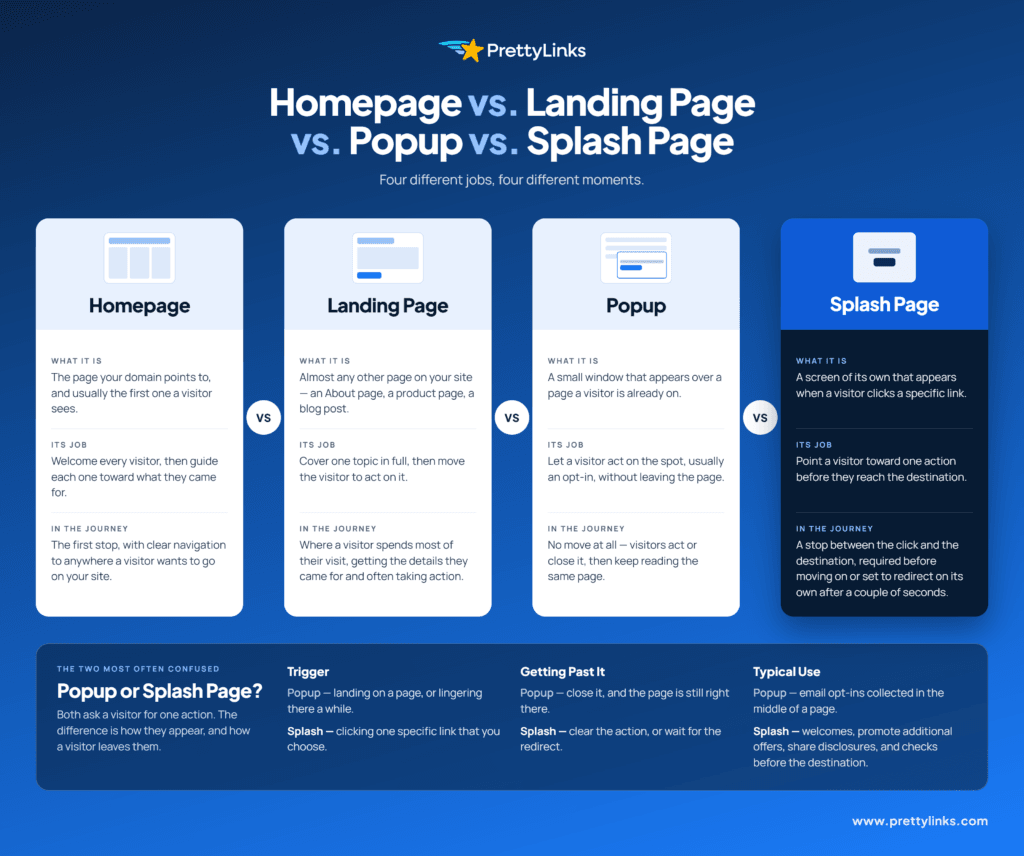
Splash Page vs. Landing Page vs. Homepage vs. Popup
These terms get used interchangeably all the time, but they’re not one and the same.
While there are a few overlapping traits, each has its own place and purpose in your visitor’s journey.
Line them up in the order someone actually moves through them, and the differences start to stand out:
- Homepage: the front door your visitor walks through first, welcoming them in and pointing them wherever they’re headed. A splash page shines here, adding a little extra to that first impression.
- Landing pages: almost any other page on your site, whether it’s your About page, a product page, or a blog post. Each is another great spot for a splash page, ideally with an action that complements what’s on that page.
- Popups: a small window over the page a visitor is already on, typically encouraging them to act or opt in to something before they dismiss it and pick right back up where they left off.
- Splash page: a full screen of its own, rather than a window layered over one. It sits between the click and the destination, so your visitor passes through it instead of returning to what they were reading.
How Do Affiliate Marketers Use Splash Pages?
Where a splash page sits is one thing, what you do with it is another, and for affiliate marketers that usually means getting more revenue out of a click.
In most cases, that’s putting an upgraded offer in front of a reader first, such as a bigger version of what they were already after.
But that’s only the beginning. A single splash page can also:
- Flash a coupon or referral code
- Play a sponsor’s video ad
- Offer the same product from two merchants
- Pitch something of your own
- Give your affiliate disclosure a clear, upfront moment
- Be upfront about the cookies firing behind that click
- Flag age or membership requirements ahead of gated content
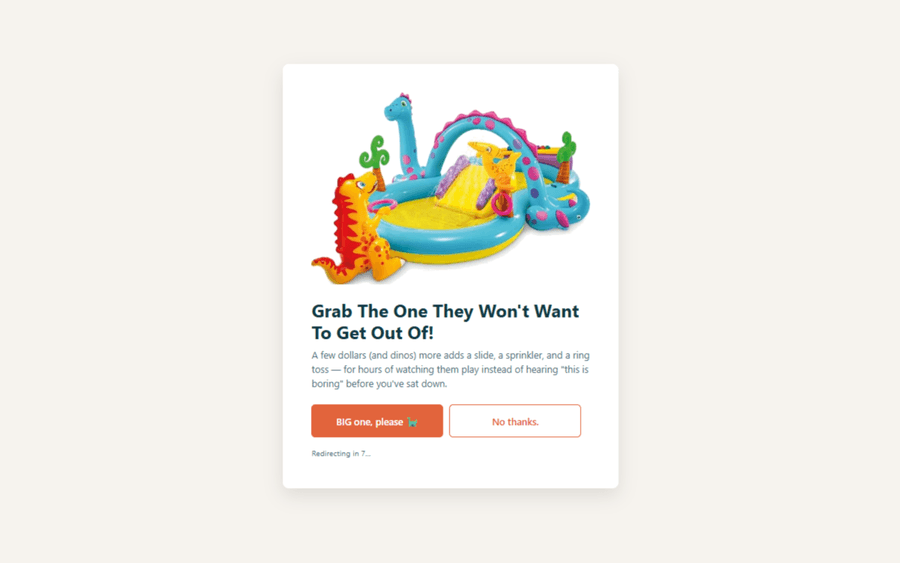
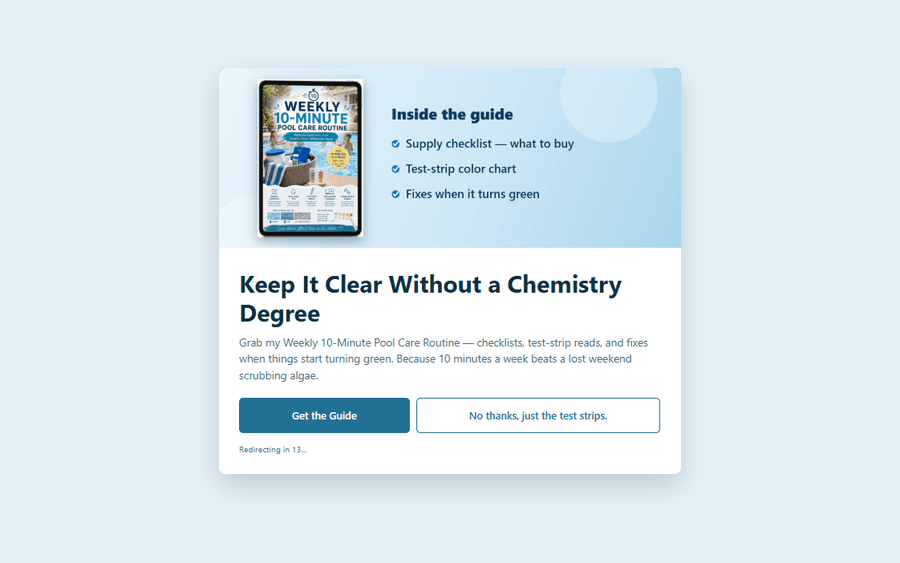
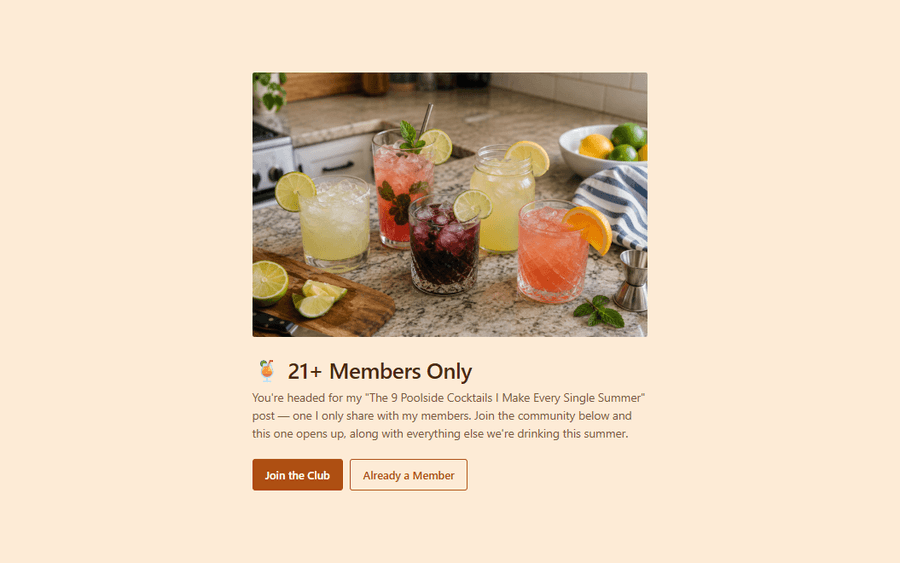
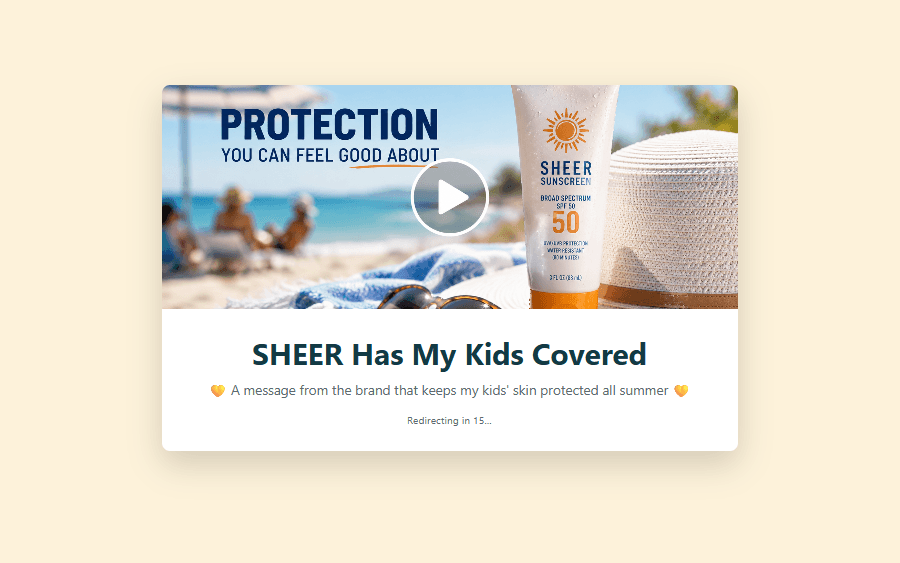
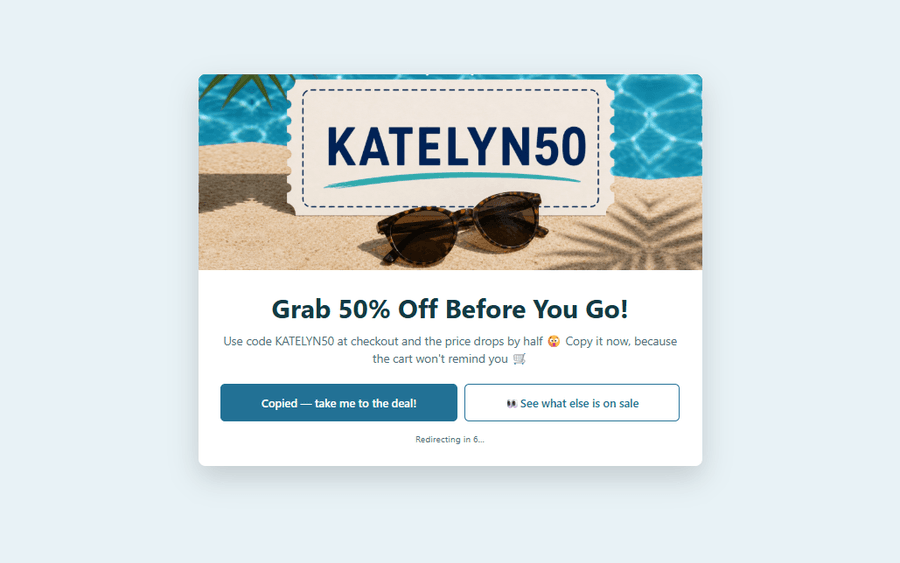
Even for all the different jobs they can do, most splash pages share the same feel: they’re brief, keep engagement choices to a minimum, and lean on visuals like a bold image, video, or animation to make a strong first impression.
The Benefits of Adding Splash Pages on Your WordPress Site
A splash page gives you something you’ve never had before: one more moment to get a message in front of your reader before they move on.
Here are a few of the benefits that come with that moment:
- A Chance to Earn More From the Same Click. As we’ve already covered, a splash page gives you room to pitch something more profitable on the way through, so the same click you were already getting has a lot more earning behind it.
- Warmer Visitors by the Time They Reach Your Offer. Those few seconds are the perfect spot to build some anticipation, so your reader reaches the offer already leaning in and far more likely to convert.
- Send Them Off on Your Terms. You decide how visitors leave: keep the countdown on and they stay a set time before moving along automatically, or turn it off so a button click is their only way forward. Either way, they don’t get past without engaging with your message.
- A Heads-Up for Your Audience When It Counts. When a reader could use a quick word about where they’re headed, a splash page delivers it, so they move forward prepared and trust you a little more for it.
Add it up, and that’s a pretty good payoff for what’s really just a new way to share your links and get more out of them.
How to Create a Splash Page in PrettyLinks
We wanted the actual building of a splash page to feel just as familiar as creating a pretty link, which it is!
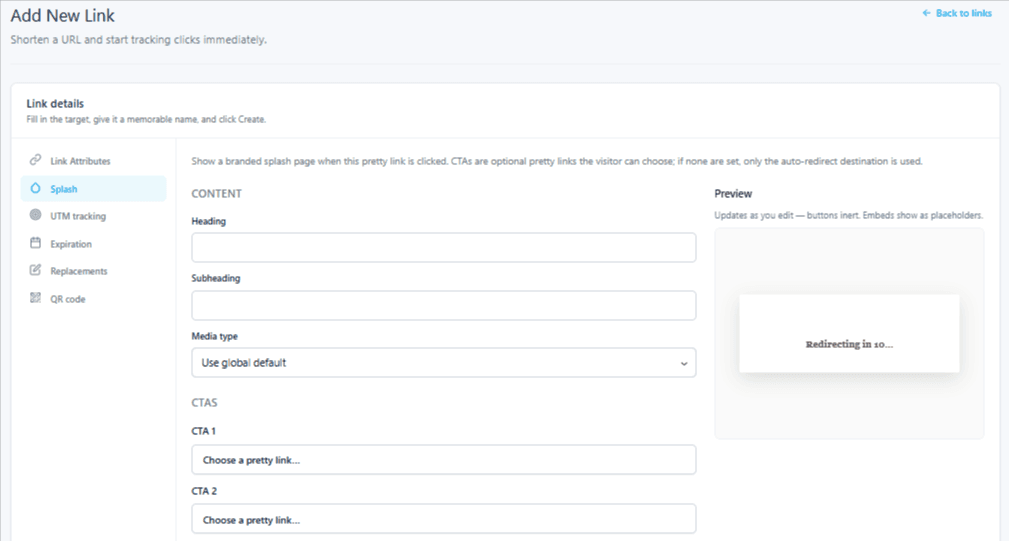
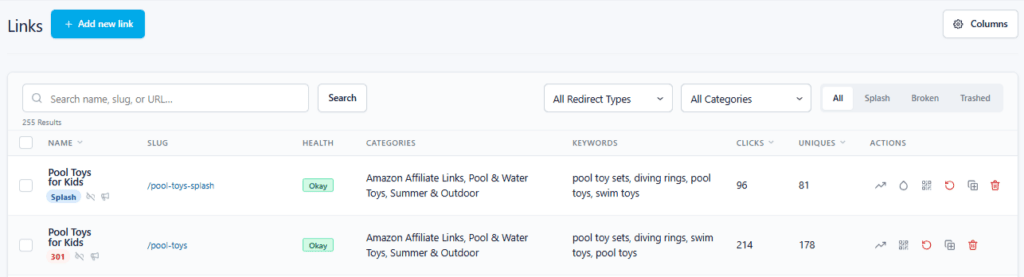
Start by adding a pretty link and set its redirect type to Splash. From there, a new Splash tab shows up in your left-hand menu, ready for you to hop in and start designing:
💡 Quick tip: Duplicate one of your existing affiliate links so it can work two ways: the original stays your initial cloaked redirect, and the copy becomes your splash page:
Prefer to watch? See how to create a splash page in the full tutorial video below:
Inside the Splash tab is where everything comes together. You’ll write in a heading, subheading, and upload your media (can be an image or video). Then choose up to two of your pretty links to act as CTA buttons.
For the look, every splash page can carry its own template style. Or, if you find one you love, you can set it as your default in Options so every new page starts from it.
Those last two toggles shape the visitor experience, from how they interact with your splash page to how they move on from it:
- Auto-redirect when the countdown ends does just that: turn it on and the page sends them to the destination automatically once the timer runs out, though they can still click one of your buttons to carry on early.
- Lock CTAs until the countdown ends controls the buttons: turn it on and they can’t click through until the timer finishes, so they take in your full message first.
Or, you can skip both toggles and drop the countdown entirely. With no timer moving things along, clicking one of your CTAs becomes your visitor’s only way forward, so they have to act.
Best of all, your splash pages start keeping their own metrics the moment they go live, with everything flowing into your link management dashboard, where you can stack them up against your regular redirects or zero in on just your splash pages.
And that’s the whole setup!
Want it in writing? Our Customer Success Team put together a whole collection of Splash Page Support Docs, ready whenever you need them.
Now Go Make a Splash!
Of everything we build here at PrettyLinks, the features we’re proudest of are always the ones you ask for, and Splash Pages was one of those special requests.
Now it’s yours to run with! Spin up a few splash pages of your own and see what they can do for your affiliate income. It only takes a few minutes to put one together, and something tells me once you get started, you won’t stop at one.
So let’s get you set up! Your first splash page is only a step or two away, and here’s how to get there:
- Not a PrettyLinks user yet? → Select the Super Affiliate plan and start building splash pages today.
- Ready to unlock Splash Pages? → Upgrade to the Super Affiliate plan and they’re all yours.
- Already on the Super Affiliate plan? → Head to the Add-ons page in your PrettyLinks dashboard, then install and activate Splash Pages to get going.
Whichever path is yours, your next click is about to count for a whole lot more!




Leave a Reply