


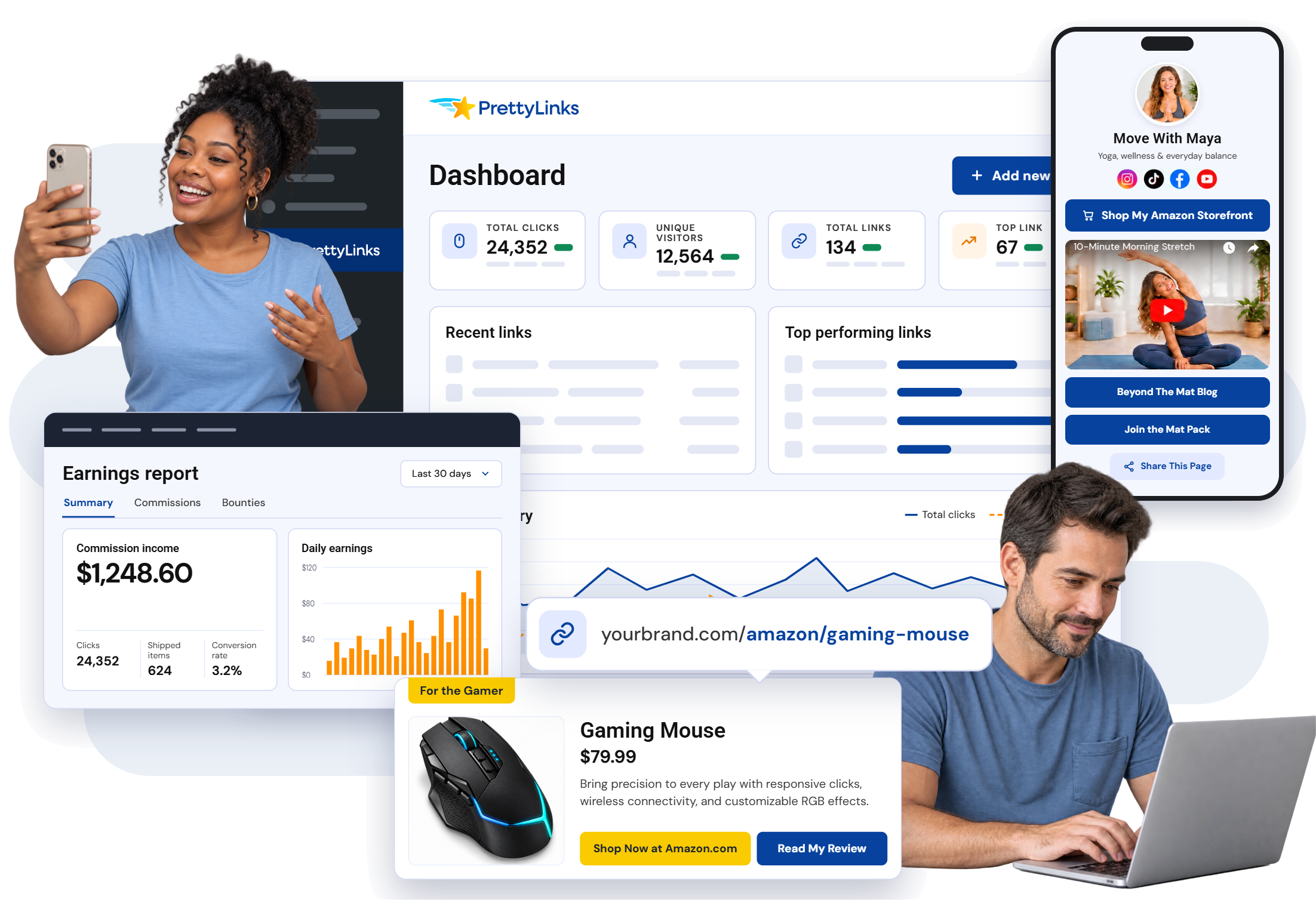
BIG NAMES IN AFFILIATE MARKETING BACK PRETTYLINKS










AMAZON AFFILIATE MARKETING ON WORDPRESS
Your Amazon Affiliate Link Can’t Do the Whole Job Alone
PrettyLinks puts a whole campaign’s worth of possibilities behind your Amazon links,
giving them more ways to earn on your WordPress blog and everywhere else you share them.

Auto linking Finds the Product Mentions You Missed
Name the product once, and PrettyLinks links the mentions you’d otherwise have to hunt down and update by hand.

Product Displays Show
the Product Off
Build from a branded template, then add
the image, price, your take on the product, and buttons that invite readers to shop.

Link Shortening Makes
It Yours to Share
Give each Amazon recommendation a clean, memorable URL that carries your name instead of a string of tracking characters.

Link Management Keeps
5,000 Links Findable
Pull up the exact Amazon link you need with categories, filters, and search instead of digging through thousands.

Link Health Spots Trouble
Before Readers Do
Catch the Amazon products that get delisted without warning, before a dead link costs you the commission.

Click Tracking Separates
Hits From Misses
Check the numbers on each Amazon link so you can spot the products drawing clicks and the ones readers pass by.

Link Rotation Keeps
Multiple Products in Play
Send clicks from one shared link to multiple Amazon products, with control over how much traffic each product receives.

Smart Redirects Know
Where to Send the Click
Route visitors to different destinations based on their country, device, or the time they click—all from one link you share.

QR Codes Let Viewers
Shop the Screen
Add a code on screen when you feature an Amazon product and let viewers reach it without hunting through the description.

Link in Bio Lets Followers
Shop What You Share
Build a page on your own domain where social followers can browse the Amazon finds you’re talking about right now.

Splash Pages Make the
Click Count Twice
Add a branded stop between the click and the destination to show the product, make your pitch, or offer another choice.

SiteStripe Import Brings
Your Links Over Fast
Import your Amazon links into PrettyLinks with one click during the setup wizard, while you get the rest of your account ready.
Amazon Gives You the Link.
PrettyLinks Gives You the Advantage.
Take your Amazon links past copy-and-paste with PrettyLinks tools built to get more commissions out of every product you promote.
What Affiliate Marketers are Saying
About PrettyLinks
-
PrettyLinks has become one of the most important tools I use across all of my online businesses. On my blog, on my podcast and on my videos, it makes life so much easier for me when promoting or recommending items to my audience, and it also becomes easier for my audience to remember those links too.
-
PrettyLinks is one of the coolest WordPress plugins I’ve ever found! It can automatically create short links on your domain. It makes it easy to group and organize links. It tracks click counts, it replaces keywords and that’s only a small number of its features. The price is totally worth it because it allows your short links to promote your brand.
-
PrettyLinks is my top recommended WordPress plugin for all bloggers and podcasters! I use it more than any other plugin for my podcast and website. Whether it’s tracking affiliate links, creating memorable and speakable URLs, or automated keyword-hyperlinking, PrettyLinks both saves me a great deal of time and helps me earn more money!
PrettyLinks is for Amazon Associates Who Know the Bigger Payout Comes from What They Do After They Get the URL
Start with the Amazon links you’ve already got and discover how much more PrettyLinks can do with them across the content you create, the places you share, and the commissions you earn.
PUT YOUR PICKS ON DISPLAY
Build Your Amazon Storefront on Your Own Domain
Bring the Amazon shopping experience to your WordPress site, where every product on the page pays you.
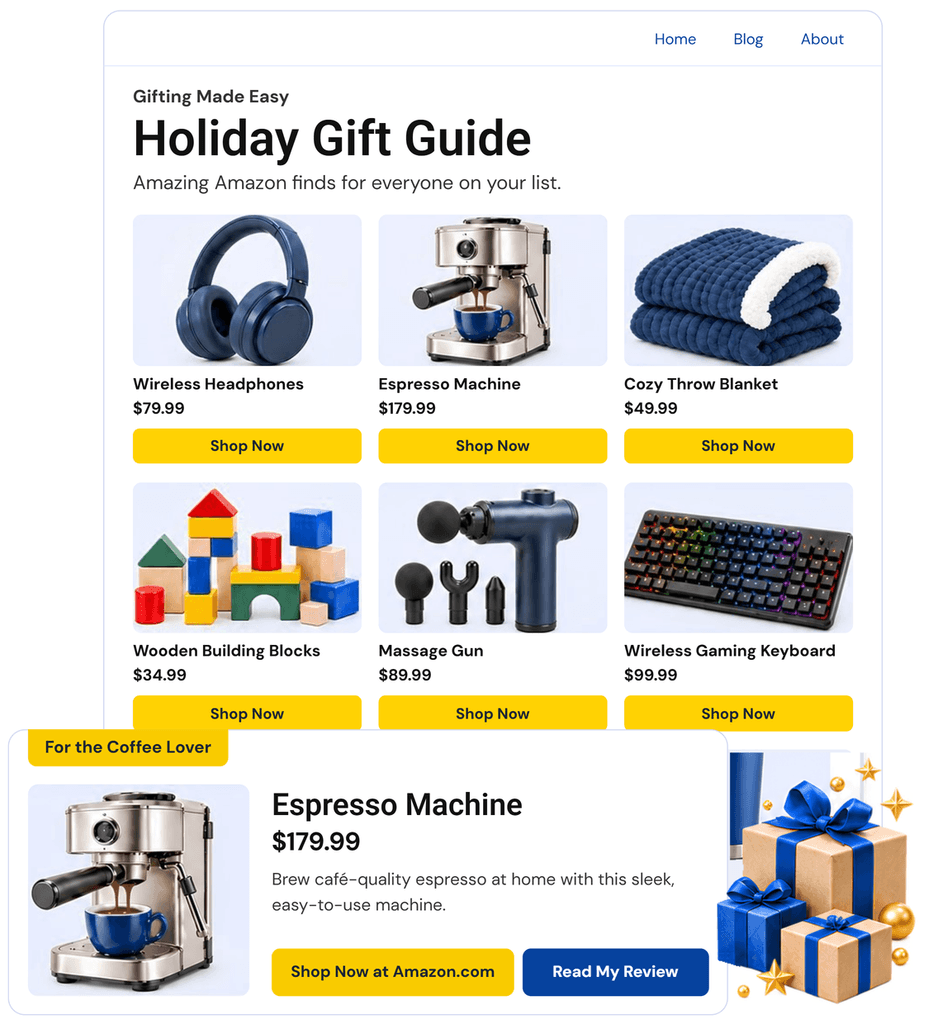
 Drop a single display into a post, or group a dozen of your picks into a shoppable collection page.
Curate the shop page yourself: a gift guide, a seasonal roundup, or a best-of list that ranks in search.
Add a second button and pitch the upgrade for a bigger payout — or a product pairing to double your commissions!
STOP RENTING YOUR Link in BIO PAGE
Put Your Shop and Your Content
on a Bio Page That’s Yours
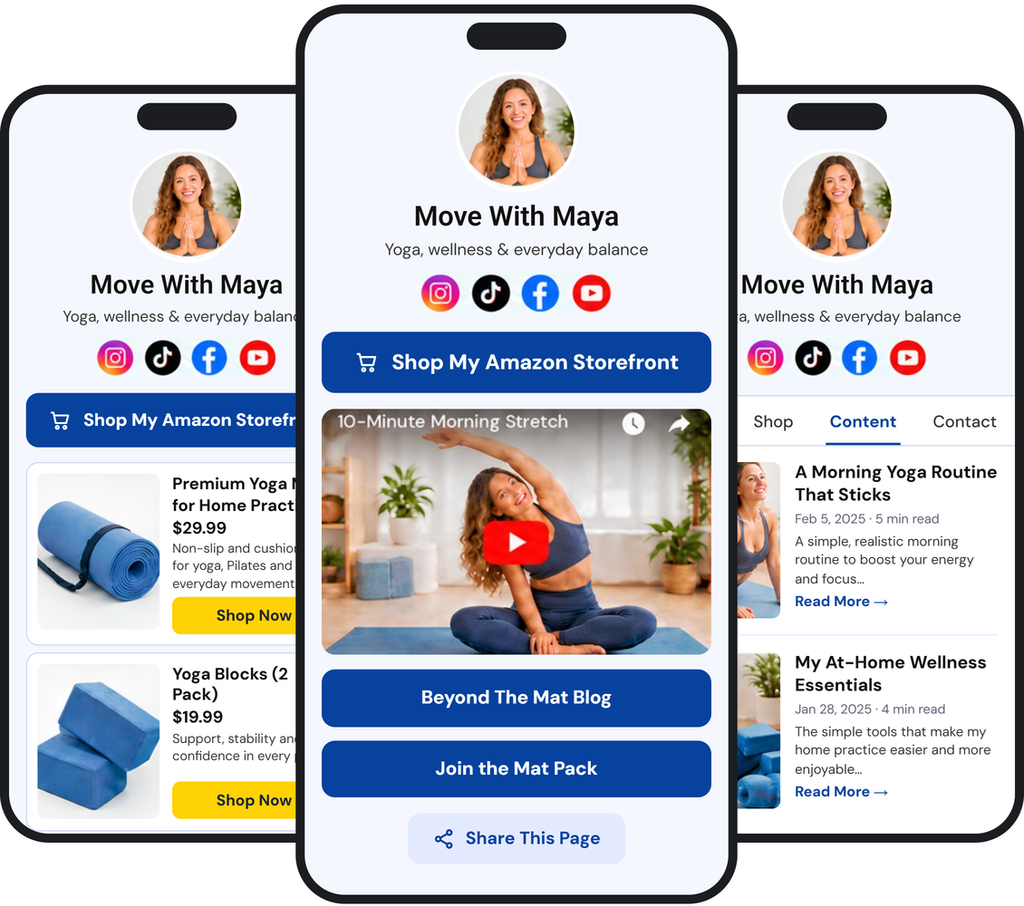
Create a link in bio under your domain and customize the page behind it, with no monthly fee.
Stack your storefront, shoppable displays, your newest video, and the post you want seen this week.
Give every platform its own bio link, stocked for the way your TikTok, Instagram, and Facebook followers actually shop.
Start from branded templates, then swap what each page holds in seconds without opening a single social app.
WHEN YOU WANT THE CLEAN Link Look
Brand Your Links Without Breaking Amazon’s No Cloaking Policy
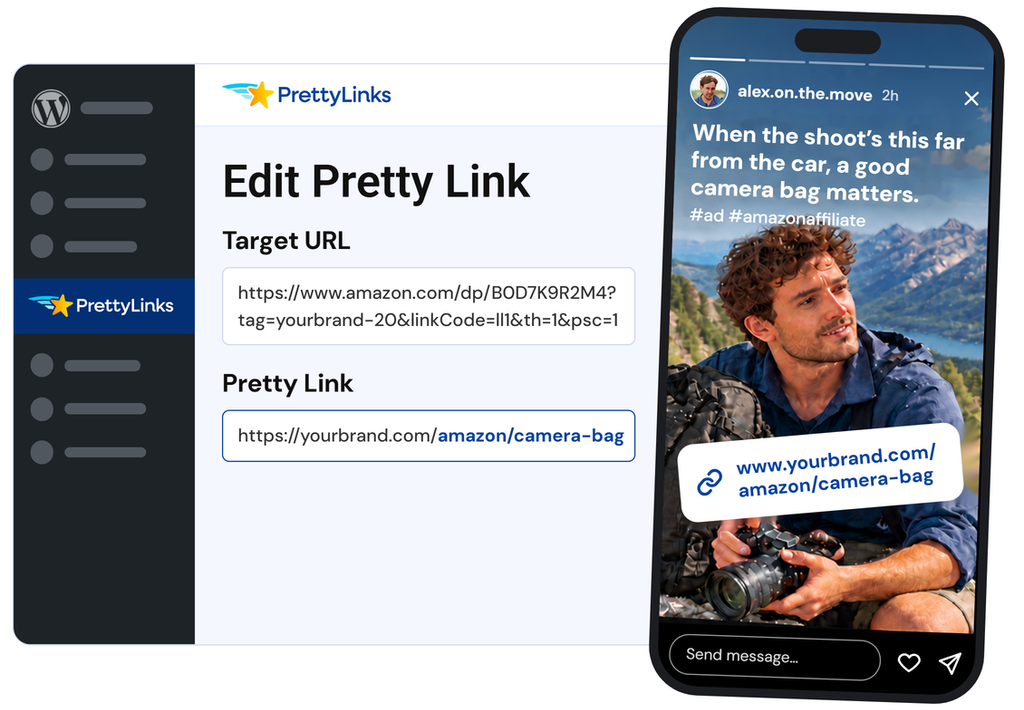
Put your name on the link readers see, while the redirect follows Amazon’s rules underneath.
Trade the tracking string for a short link where Amazon sits in the slug, so readers know where they’re going.
Your associate tag still rides behind the scenes, where the click and commission always track back to you.
Pair it with your affiliate disclosure, and you’re covered on both counts: Amazon’s and the FTC’s.
SAY ONE LAST THING before the send-off
Make the Same Click Worth
More on Its Way Out
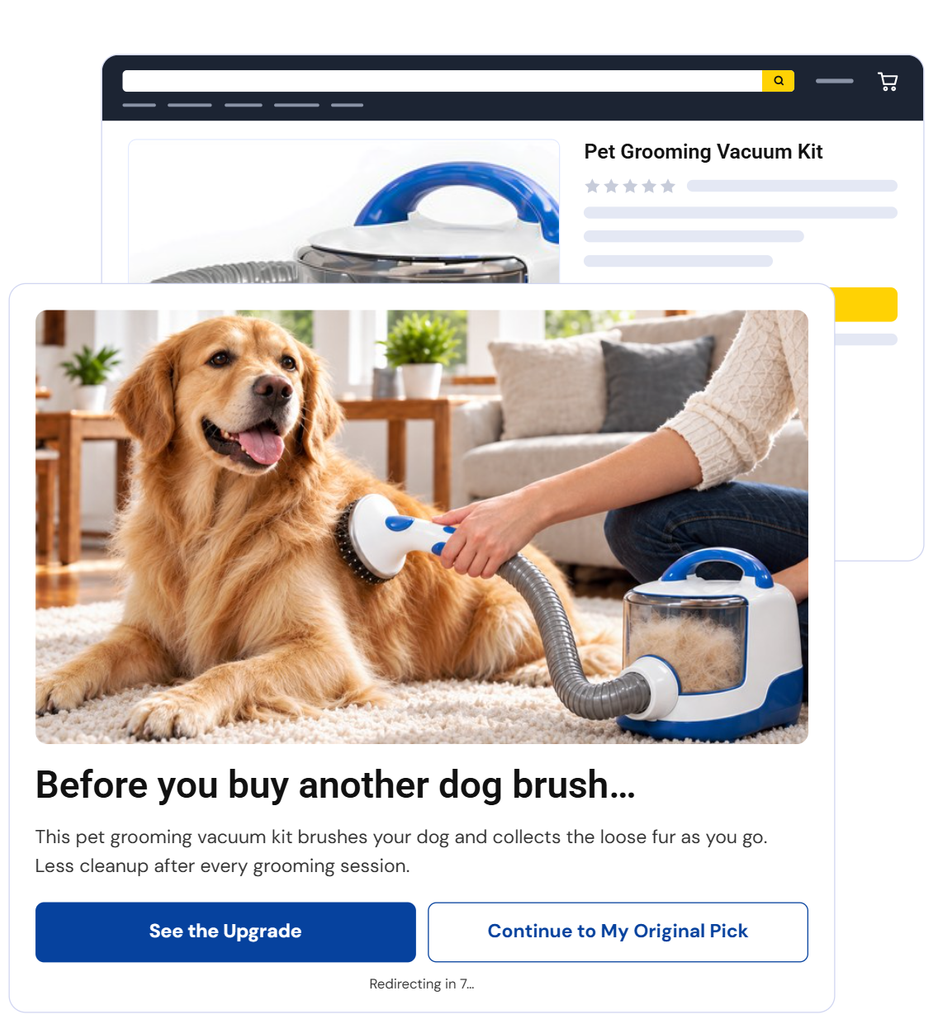
Put a splash page between the click and Amazon, and earn more in the seconds you’ve still your reader’s attention.
Pitch the upgrade, hand out a coupon, or point them at your full review before the Amazon product page loads.
Play a sponsor’s video in a moment that was empty anyway, and earn ad revenue on top of the commission.
Every splash page reports on its own, with views, clicks, and bounce rate showing how that screen did.
MONETIZE WHAT YOU ALREADY WROTE
Start Earning on Every Amazon Product You’ve Ever Mentioned
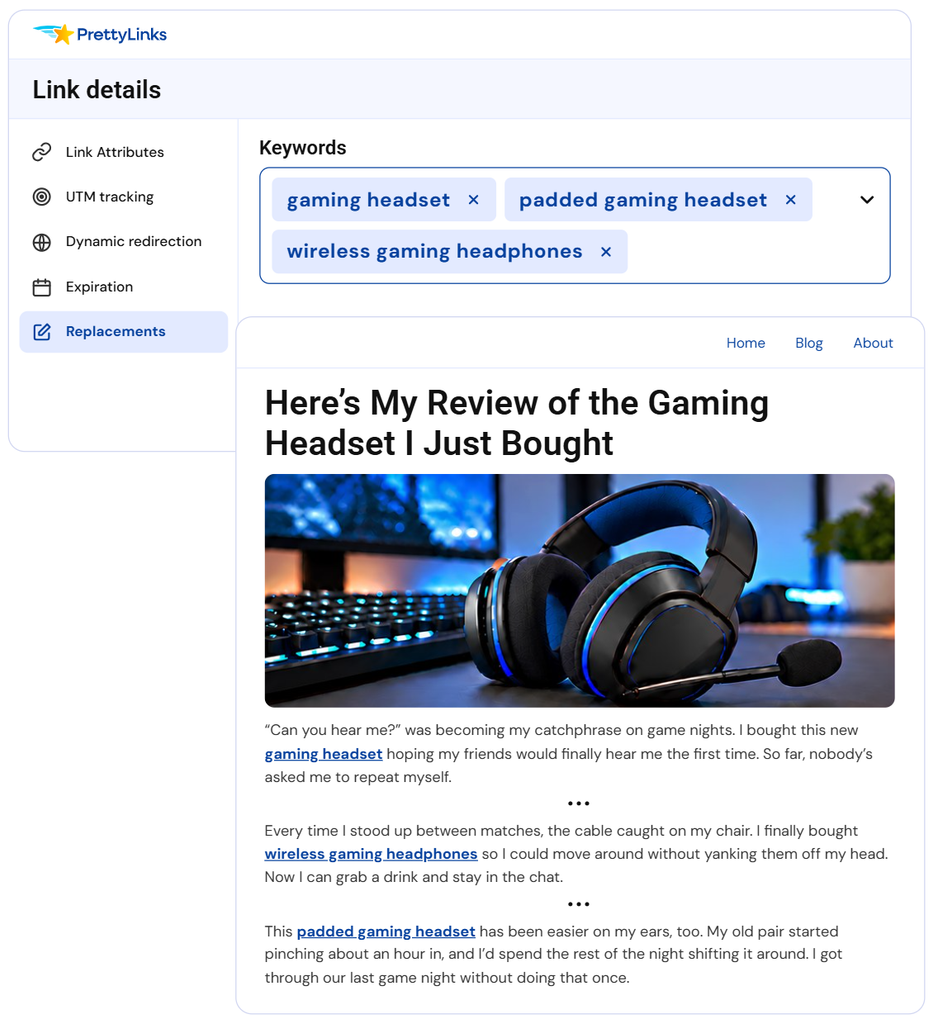
Hand PrettyLinks your list of keywords, and it goes to work
—no manual linking required.
Name the Amazon products you recommend, and every mention links itself across past, present, and future posts.
Sort out any keywords linked to more than one Amazon product, so the click always goes to your top performer.
Every monetized post gets a disclosure with it, so compliance is something you don’t have to double-check.
ROUTE visitors TO THE RIGHT AMAZON
Turn International Readers Into Commissions Instead of Bounces
Your audience spans time zones, so your affiliate links should cross them too.
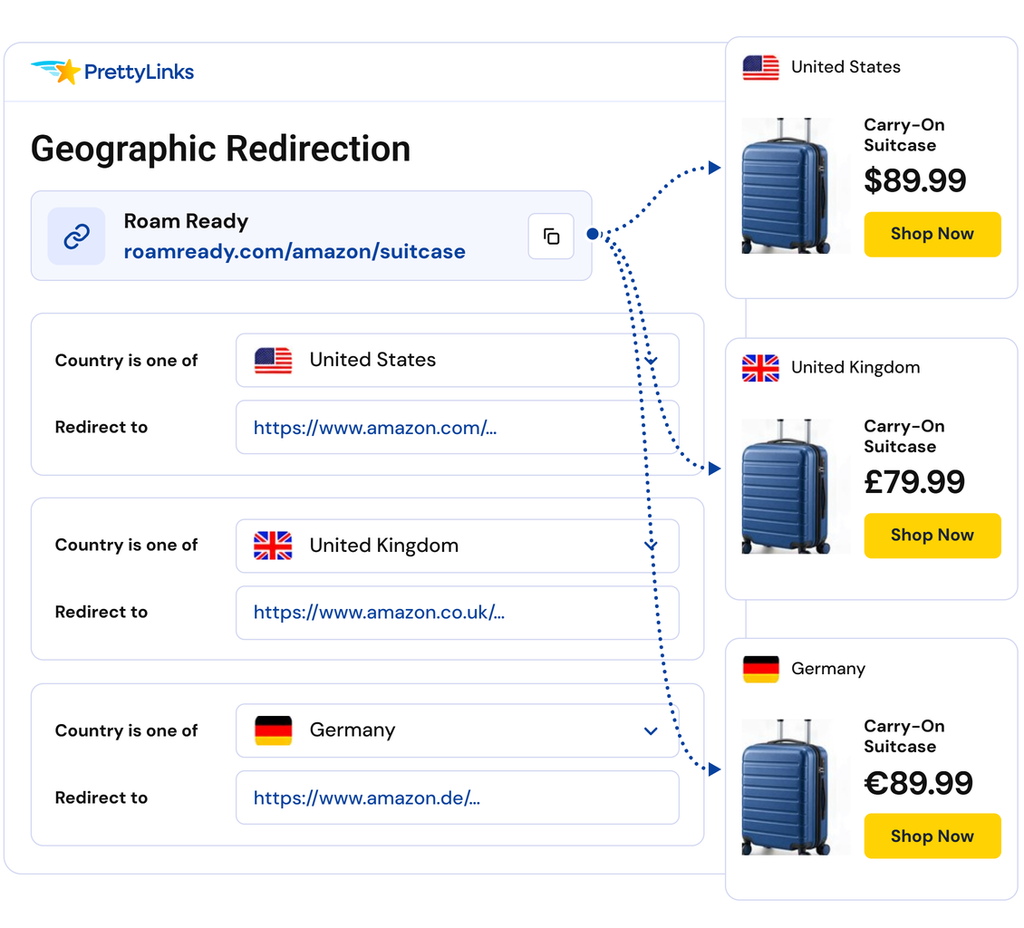
Set one link to route by country, so US, UK, and German readers each land on the Amazon.com they can buy from.
Wherever your link shows up, readers open a listing that’s already priced for them and ready to ship.
Track clicks by location in your dashboard, so you know who you’re writing for and where to go hunting for products.
FIND YOUR TOP PERFORMERS
See Exactly What Each Amazon
Link Earns You in Clicks
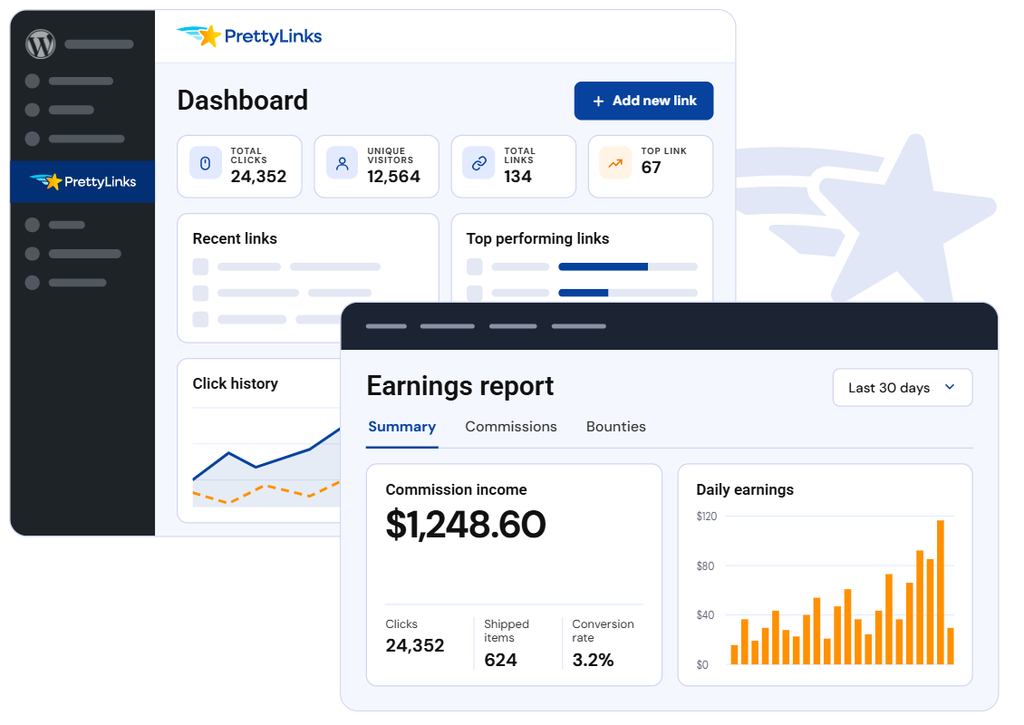
Watch the performance on every Amazon link you share, and discover which products readers are actually clicking.
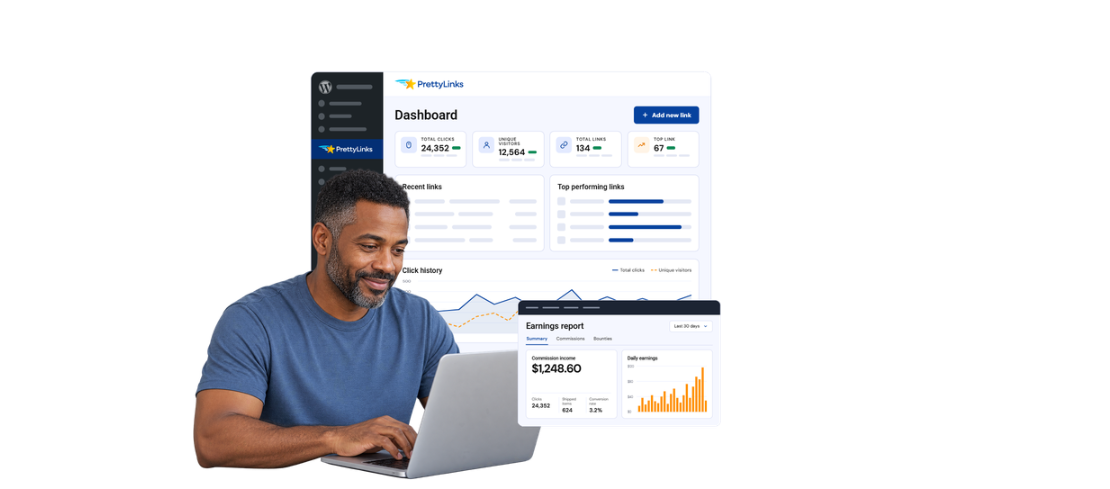
Open the dashboard to view total clicks, top-performing links, and recent activity across your Amazon affiliate links.
Connect with MonsterInsights and trace any Amazon link to the exact review or roundup post that’s pulling the clicks.
Two years’ worth of click history shows what moved last Prime Day, Black Friday, and every seasonal push in between, so your next campaign starts with proof.
GO PAST GRABBING THE URL
Control your Amazon Affiliate Links instead of just making them
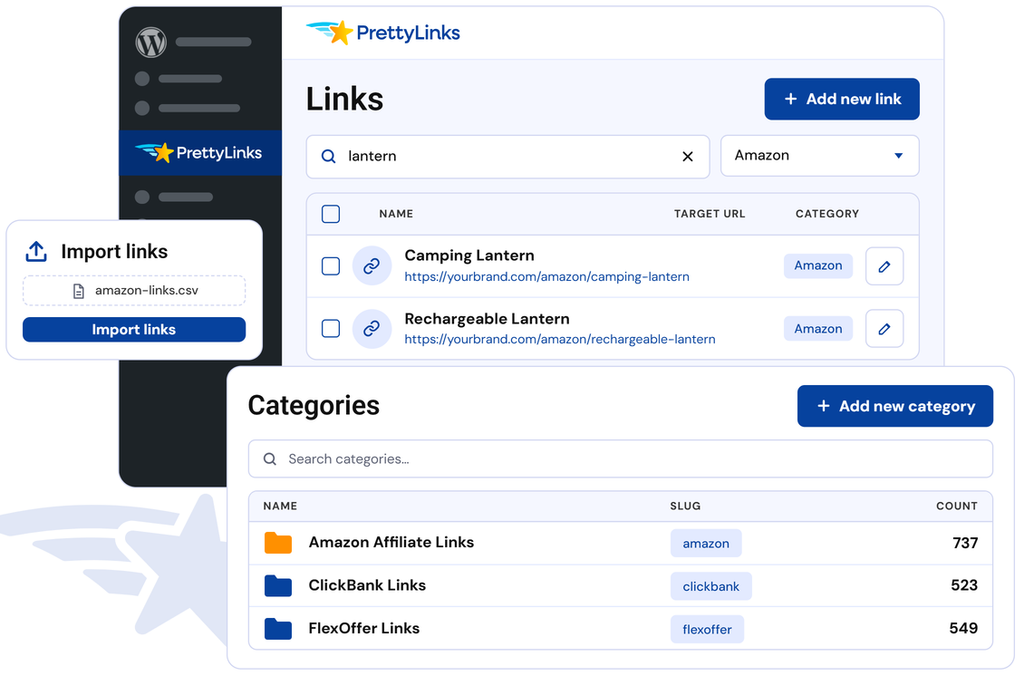
Manage your Amazon affiliate links alongside the links from every other program you promote, all in one place.
Bring your SiteStripe links over from Amazon Associates, and they land in PrettyLinks branded and ready to optimize.
Categorize, filter, and search to find the exact link you had in mind, then send it out to go earn in seconds.
Update a link from the PrettyLinks dashboard, and every place you’ve shared it applies without another edit.
Ready to Earn More From the Amazon Links You Already Share?
What Amazon Associates Want to Know
About PrettyLinks
Get the details on how to use PrettyLinks with Amazon Associates, from bringing in the links you already have to finding more ways to earn from them.
Yes, and it’s worth making one of your first moves after you sign up.
The setup wizard makes it easy to add your Amazon collection on its own or alongside the rest of your links while you’re getting your PrettyLinks account set up.
Before you import, download our sample CSV template. Open it up and fill in each link’s slug, target URL, name, and description. From there you can also set nofollow or sponsored attributes, bring over your existing click counts, assign each link to a category, and add any keyword replacements you want running.
Save it, import it, and your Amazon collection lands already organized. The more you set up in the spreadsheet, the less there is to do link by link once you’re inside PrettyLinks.
Our CSV Import & Export doc covers the format and what carries over.
No. Cloaking Amazon affiliate links doesn’t break Amazon Associates rules. What the program prohibits is a link that hides where it’s going.
Amazon is pretty clear about it, too, addressing cloaking in two places:
“You will not cloak, hide, spoof, or otherwise obscure the URL of your Site containing Special Links (including by use of Redirecting Links) or the user agent of the application in which Program Content is displayed or used such that we cannot reasonably determine the site or application from which a customer clicks through such Special Link to an Amazon Site.”
“You will not use a link shortening service, button, hyperlink or other ad placement in a manner that makes it unclear that you are linking to an Amazon Site.”
In reality, the rule isn’t so much about cloaking as it is about clarity. Amazon just wants their shoppers to still see Amazon in the link they’re clicking.
The simple fix is to work an Amazon identifier into your slug. For example:
yoursite.com/amazon-standing-deskpasses.yoursite.com/amzn-standing-deskpasses.yoursite.com/standing-deskdoesn’t, because nothing in it says Amazon.
As with any affiliate program, it’s important that you read the policies yourself — during the application, and again once you’re approved. Here are Amazon’s.
We’ve also got a Cloaking vs Cloaking doc that sorts out the two different things people mean by the word, plus a guide on How to Shorten and Cloak Your Affiliate Links and staying compliant while you do it.
Yes. Your Amazon Associate tag lives in the target URL, and PrettyLinks never touches it.
Import your Amazon links in one pass and the raw URL — tracking tag and everything else Amazon packed into it — lands in PrettyLinks as your target.
The only thing left to do is customize the slug. That’s what makes this work in both directions.
The link you share stays short and branded, with Amazon named right there in the slug. The link they land on is your full Amazon URL, tag intact, loading in the address bar like it was the link all along.
So Amazon always sees your tag doing the work. Your link gets the credit, and the commission lands where it should.
When Amazon pulls a listing, that URL starts returning a 404 — and that’s where Link Health comes in.
It catches the break on its next scheduled check, badges the link in your dashboard, and emails you a notification so you’re not the last to find out.
From there it’s one edit. Pop into the link, point it at a replacement product, and every post, product display, and bio page that contains that link is fixed at the same time.
Our Link Health doc walks you through setting up your scan, what it’s looking for, and where the alert goes — so the next dead product finds you before your earnings report does.
They’re not really competing. Associates Central is where you see what your links earned. PrettyLinks is where those links actually live and work.
Amazon hands you a URL and shows you the money side of things: conversions, items ordered, what you’re getting paid, etc.
Inside PrettyLinks, that same URL becomes something you can brand, track, group into categories, build into a product display, add to your Link in Bio page, or repoint at a whole different product.
That’s the real difference. One is a report you read. The other is where the work happens. Our Link Management feature page covers what you can do with a link once it’s truly yours.
Read Up On Our Latest
Subscribe to our blog for updates on current trends, best practices, and NEW PrettyLinks feature releases.
Amazon Gives You the Link.
PrettyLinks Gives You the Advantage.
Take your Amazon links past copy-and-paste with PrettyLinks tools built to get more commissions out of every product you promote.