
Contents
Instagram is built for discovering products. A Reel can introduce you to a new skincare brand, a Story can send you straight to a limited-time deal, and a creator you trust can convince you to finally buy something you’ve been considering for weeks.
On Instagram, affiliate marketers earn commissions by recommending products in their content and sending interested followers to a link they can actually tap: their bio, a Story link sticker, a DM, a broadcast channel, or, in select markets, a native product tag in a Reel or Feed post.
The tricky part is that each format handles links differently. Some are better for building interest, while others can send people straight to the offer.
This guide breaks down every major placement, how to set up your profile for affiliate traffic, and the disclosure rules you need to follow.
What Is Instagram Affiliate Marketing?
Instagram affiliate marketing is the process of promoting another company’s products or services to your Instagram audience and earning a commission when someone makes a qualifying purchase through your affiliate link.
Affiliates typically recommend products through Reels, Stories, feed posts, carousels, Lives, and other Instagram content.
In practice, you create content that helps people discover or evaluate a product, then direct interested followers to somewhere they can actually click your affiliate link.
Depending on the Instagram format and the features available to your account, that might be a Story link sticker, your bio, a direct message, or an eligible affiliate product tag.
You don’t sell or fulfill the product yourself. Your role is to connect the right audience with a relevant offer, while the merchant tracks eligible referrals and pays you according to its affiliate program terms.
Is Instagram Worth It for Affiliate Marketers?
Yes. Instagram still gives affiliate marketers access to a huge audience and several content formats that work well for product recommendations, comparisons, demonstrations, and reviews.
Your Audience Is Already on Instagram
Instagram now has 3 billion monthly active users worldwide, according to Meta. That gives affiliates access to a very large potential audience across different niches and interests.
Not every niche will perform the same way, but audiences for categories such as skincare, travel, fitness, home products, software, and creator tools are already active on the platform.
Instagram Makes It Easy to Show Products in Action
Affiliate marketing is more convincing when people can see how a product works or where it fits into real life.
A Reel can demonstrate a product, a carousel can compare several options, Stories can show a quick recommendation or unboxing, and a Live gives you room to answer questions in real time.
These formats work especially well for products that benefit from demonstrations, comparisons, tutorials, before-and-afters, or real-life use.
People Already Use Instagram to Find What to Buy
Product discovery is already part of how people use Instagram.
According to the 2025 Sprout Social Index, 29% of consumers use Instagram to make social media purchases.
Separate Sprout Social research also found that more than one in three consumers across age groups prefer social platforms first when searching for product reviews and recommendations.
That gives affiliates a chance to reach people while they’re already researching products, comparing options, and deciding what to buy.
Instagram Is Becoming More Affiliate-Friendly
Meta has also expanded the ways creators can earn commissions directly through Instagram.
In 2026, Instagram began rolling out new affiliate and product-linking features in select markets, allowing eligible creators to add affiliate links or tag products from participating brand catalogs in Reels and Feed posts.
Availability still depends on factors such as location, account eligibility, and participating brands, so these native tools won’t replace other affiliate linking methods for every creator.
You Don’t Need a Huge Audience to Get Started
Affiliate marketing on Instagram isn’t limited to accounts with hundreds of thousands of followers.
A smaller, focused audience can still respond strongly to relevant recommendations.
Someone who follows an account specifically for budget travel gear or beginner photography advice may be more interested in a product recommendation than a casual follower on a much larger account.
What matters is whether your audience understands what you talk about and trusts the recommendations you make.
How to Set Up Your Instagram Profile to Convert
Before you start sending followers to affiliate offers, your profile needs to show people what you talk about, why your recommendations are worth paying attention to, and where they can find the products you mention.
You don’t need to turn your profile into a sales page. The goal is to make it easy for someone who lands on your account to understand your niche, recognize your content, and know what to do when they want one of your recommendations.
Build a Brand People Trust
A focused niche gives your recommendations context. If people follow you for budget travel, skincare, home workouts, or creator tools, product recommendations within that space feel more relevant than promotions that seem unrelated to everything else you post.
Your voice and visual style should feel consistent enough that followers recognize your content, but that doesn’t mean every post needs to look the same.
More importantly, your account shouldn’t feel like one long promotion. Tutorials, reviews, comparisons, personal experiences, and educational content give people reasons to keep following even when they aren’t ready to buy.
When you recommend something, be honest about your experience. Mention what worked, who the product suits, and any drawbacks worth knowing.
A balanced recommendation is more believable than treating every affiliate product like a must-have. We’ll cover the disclosure rules for those recommendations later in this guide.
Set Up Your Profile to Drive Clicks
A creator or professional account gives you access to Instagram Insights, which can show how your posts, Reels, Stories, and profile are performing.
For affiliate marketers, that helps you see which types of content get attention and which ones actually encourage people to visit your profile or tap a link.
Your profile should also make your niche easy to understand at a glance. Use the searchable name field to include a relevant keyword where it makes sense, then use your bio to explain what kind of content people can expect from you.
End with a simple call to action that points visitors toward your current recommendation or bio links.
Highlights can keep strong product content visible long after a Story disappears. Group past recommendations under labels such as “Favorites,” “Gear,” “Deals,” or “Reviews” so new visitors can find them quickly.
If a saved Story includes a working link sticker, that link can still be accessed from the Highlight.
Put a Branded Link on Everything
A branded link is easier to recognize than a long affiliate URL filled with tracking parameters.
Using your own domain also keeps the link consistent with the rest of your profile and makes it easier to remember when you need to mention it outside a clickable placement.
This is a good practice for Instagram. You can use branded links in your bio, Story stickers, DMs, broadcast channels, and anywhere you need to say a URL out loud, such as a Reel or Live.
You can do this with PrettyLinks, which turns long affiliate and campaign URLs into short, branded links on your own domain. You can then share a cleaner, easier-to-remember URL while still sending visitors to the original destination.

Get the Most Out of Your Instagram Bio Links
Your bio is where many Instagram affiliate journeys end up. If you tell people to “check the link in bio” from a Reel, caption, Story, or Live, they need to find the right product quickly once they reach your profile.
Instagram lets you add up to five links, but that doesn’t mean you need to fill every slot.
Put your most important destination first, then use the remaining links for pages that serve a different purpose, such as your website, a current campaign, or an affiliate storefront.
A strong first link is your PrettyLinks Link In Bio page. It gives you one branded page on your own domain where you can organize the products, resources, and offers you mention across Instagram.
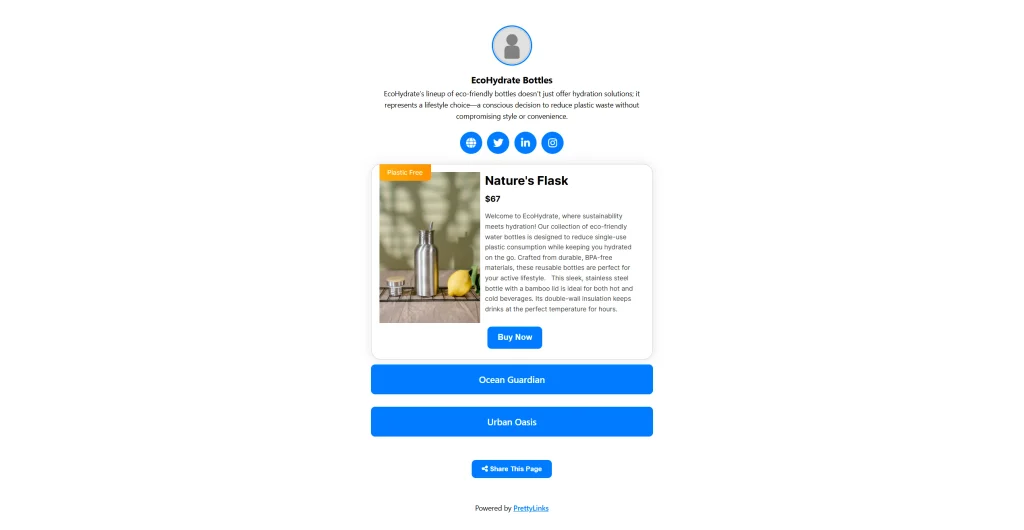
PrettyLinks also supports multiple Link In Bio pages, which can be useful if you promote different campaigns, topics, or audiences.
You might use one profile link for your main Link In Bio page, another for your blog, and another for an affiliate storefront such as Amazon.
The point is to make each destination easy to understand so visitors don’t have to guess which link matches the content they just saw.
PrettyLinks also gives you a more practical way to track which Instagram placements are driving traffic. For example, you can create separate Pretty Link for a Story sticker, a bio page, and a DM campaign that all lead to the same offer.
That makes it easier to compare which placement is actually generating clicks instead of treating all Instagram traffic as one source.
Where You Can (and Can’t) Share Affiliate Links on Instagram
Instagram doesn’t handle links the same way across every format. Some placements let you send someone straight to an affiliate offer, while others are better for creating interest and pushing people toward a clickable link elsewhere.
Use this table as a quick reference, then we’ll break down how each format works in practice.
| Instagram Format | Clickable Affiliate Link? |
|---|
Instagram’s native affiliate and product-linking tools are expanding, but availability still depends on factors such as account eligibility, location, and participating brands.
That’s why it’s important to understand both the native tools and the other places where you can share a working link.
Reels
Reels are short vertical videos built for discovery, so they can put your product recommendations in front of people who don’t already follow you.
They work especially well for demonstrations, quick comparisons, tutorials, and roundup-style content.
A camping creator, for example, could post a 30-second Reel featuring three gadgets under $50, show each one in use, and explain who each product is best for.
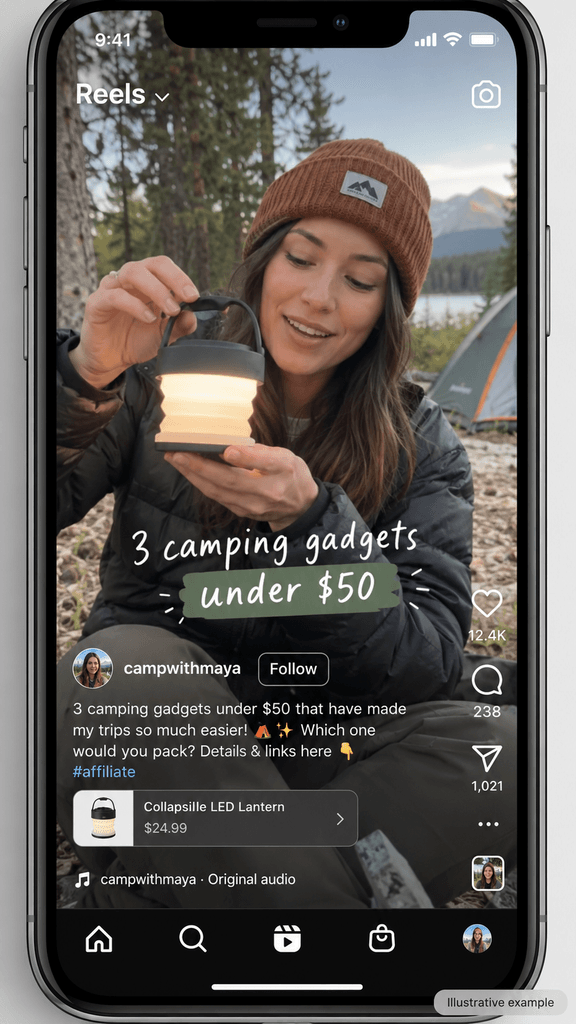
Instagram’s native affiliate and product-linking features can make some Reels directly shoppable. Where those tools are available, viewers can tap through to the tagged product from the Reel itself.
If you’re not using a native product link, let the Reel do the selling and give viewers one clear next step, such as checking the product link in your bio.
Carousels
Carousels let you combine multiple photos or videos in one swipeable post. For affiliate content, they work well when you need more space to compare products, explain a routine, or walk someone through a recommendation step by step.
You could use one to break down a five-step skincare routine, with each slide showing a different product, what it does, and who it may suit.
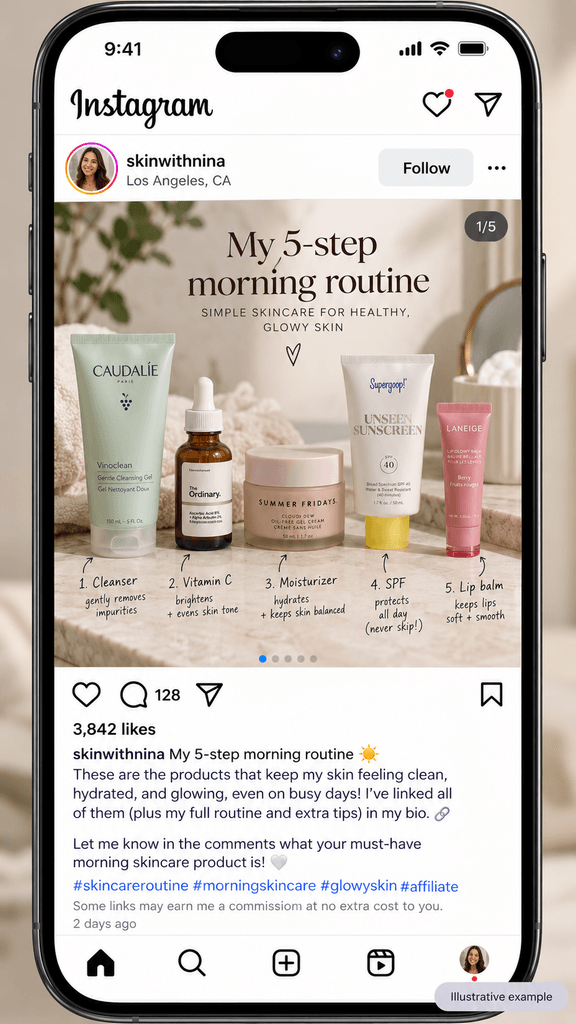
Because standard external links in carousel captions aren’t clickable, the carousel should focus on helping the reader decide whether the product is worth exploring. Then give them one clear place to go next, such as your bio link or a DM keyword.
Feed Posts
Single-image and video feed posts work well when you want to focus attention on one product or one recommendation. They’re a good fit for lifestyle shots, product close-ups, before-and-after content, or posts built around a specific use case.
A travel creator could feature the backpack they use on every trip, explain what they like about it in the caption, and tell followers where to find the product link.
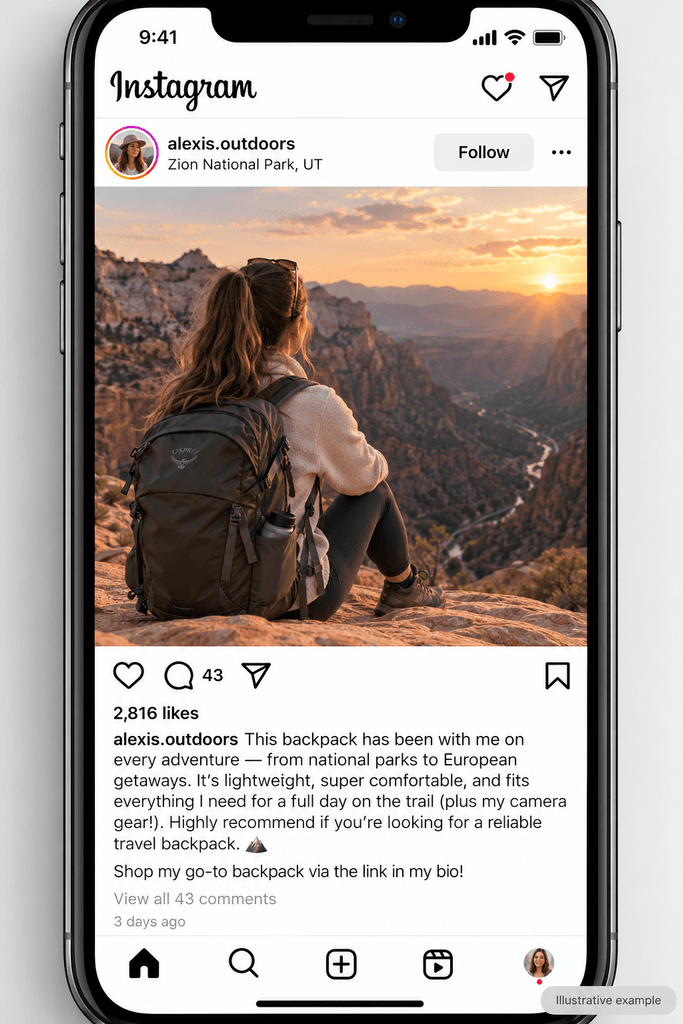
Standard URLs in feed captions generally aren’t clickable. Instagram has tested clickable caption links for some Meta Verified users, but the feature is still limited, so it shouldn’t be treated as the main linking strategy.
Where Instagram’s native product-linking tools are available, Feed posts can also include tagged products that take viewers directly to the item.
Stories and Highlights
Stories are temporary photos or videos that disappear after 24 hours, while Highlights let you save selected Stories to your profile.
For affiliates, they’re a strong fit for quick recommendations, unboxings, limited-time offers, and behind-the-scenes content that feels more immediate than a Feed post.
You could share an unboxing Story, explain what you liked about the product, and add a “Shop it here” link sticker. If it’s something people may ask about again, save the Story to a Highlight so it stays easy to find from your profile.
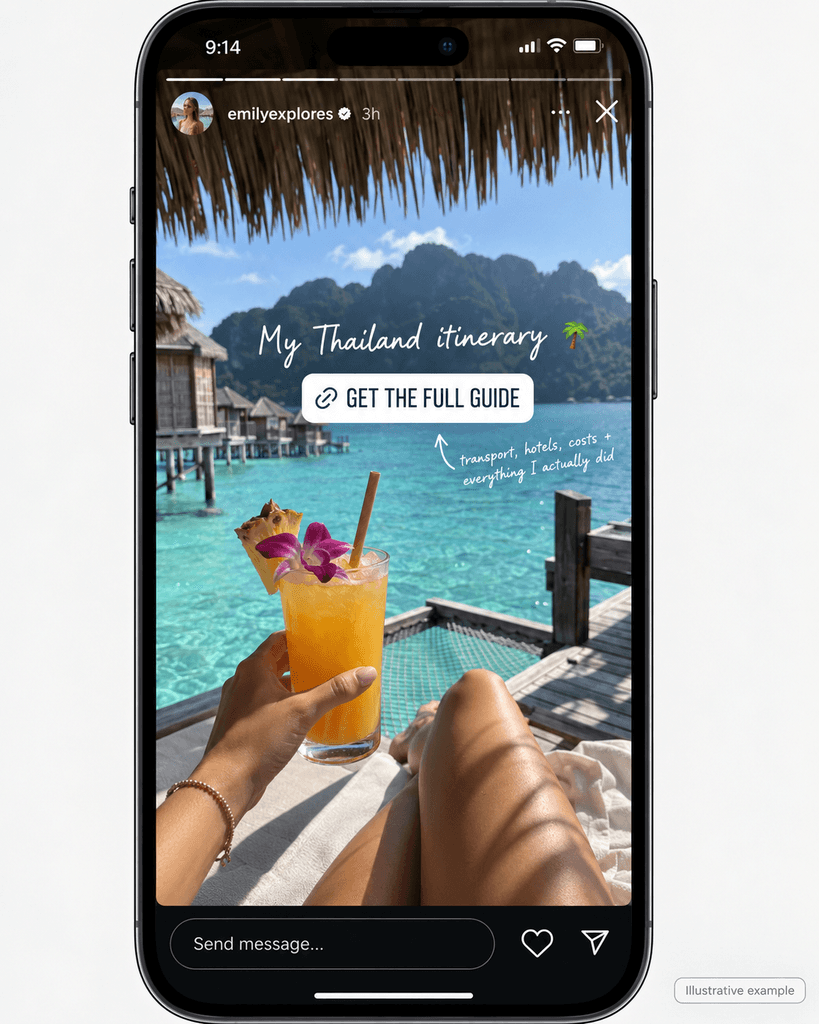
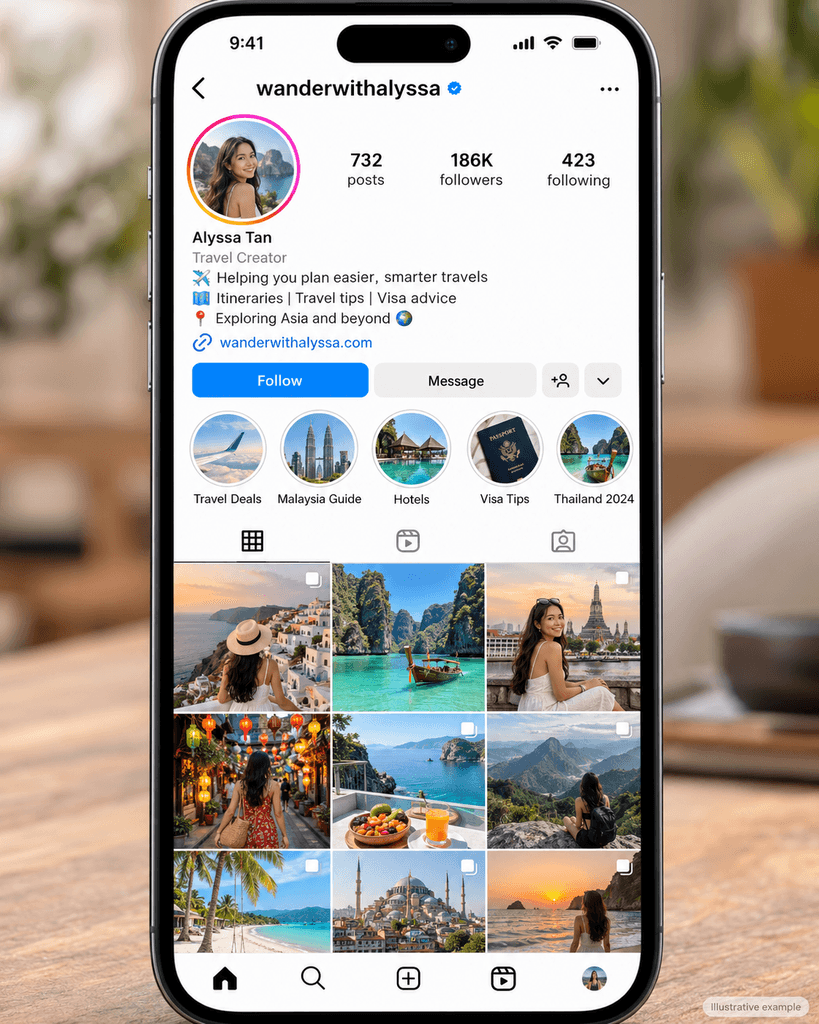
Link stickers can send viewers straight to an affiliate offer, which makes Stories one of the most direct places to share a working link on Instagram. Using a branded Pretty Link also keeps the URL recognizable when it appears on screen.
Highlights make those links last longer. If the destination changes later, you can update the Pretty Link behind the sticker instead of recreating the Story from scratch.
Lives
Instagram Lives are real-time video broadcasts where viewers can comment, ask questions, and watch a product being demonstrated as it happens. They work well when a recommendation needs more explanation than a short Reel or Feed post can give.
You could use a Live to compare two products, walk through how something works, or answer questions before recommending it.
A tech creator, for instance, could review a microphone live and explain the sound quality, setup, and who it’s best for.
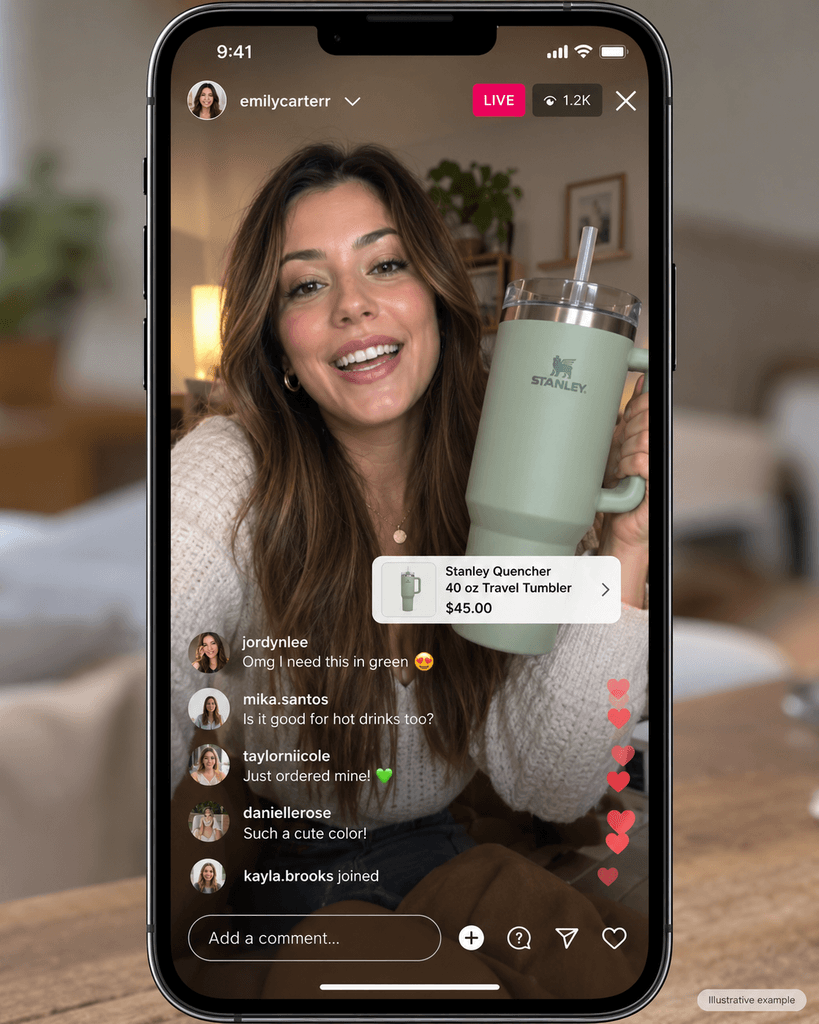
Lives don’t offer a standard clickable affiliate link inside the broadcast, so a short branded URL is especially useful here. With PrettyLinks, you can create a simple slug that’s easy to say out loud and easier for viewers to remember than a long affiliate URL.
Broadcast Channels
Broadcast channels let creators send one-way updates to followers who choose to join. You can share text, photos, polls, voice notes, and links, while members can react to your messages.
For affiliate marketers, they work well for timely recommendations such as restocks, limited-time deals, or new products you’ve just started using.
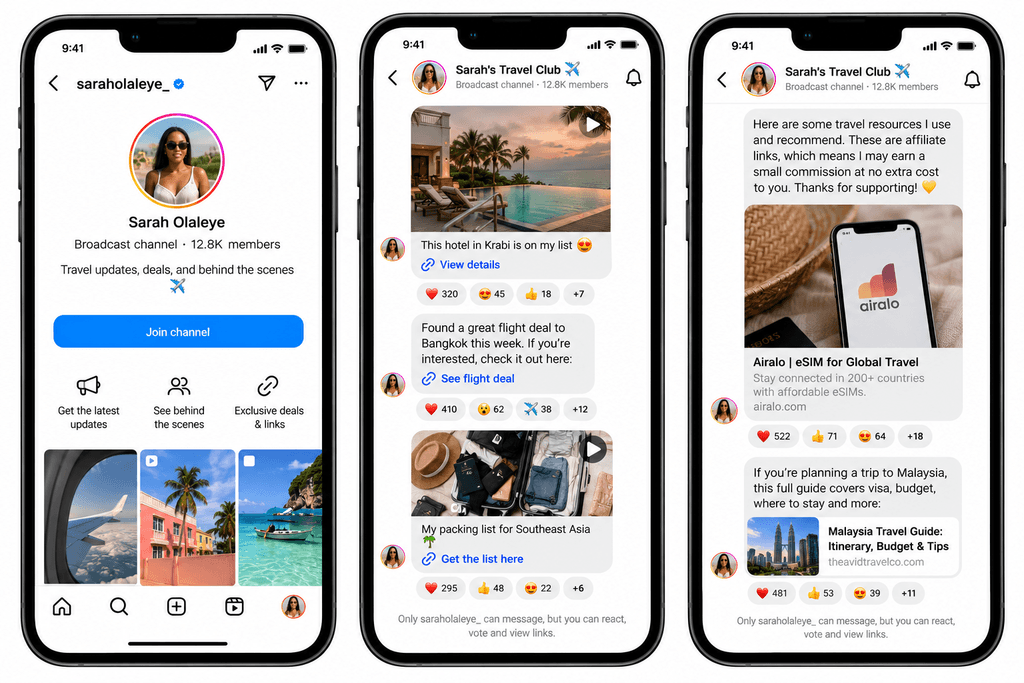
Links in broadcast channel messages are clickable, so you can send people straight to an affiliate offer.
Because members have already opted into the channel, it can also be a good place to share more frequent promotions without filling your main Feed with sales content.
DMs
Direct messages give you a private place to share links with followers who have already shown interest. They work well for personal recommendations, follow-up questions, and cases where someone asks you directly for the product you mentioned.
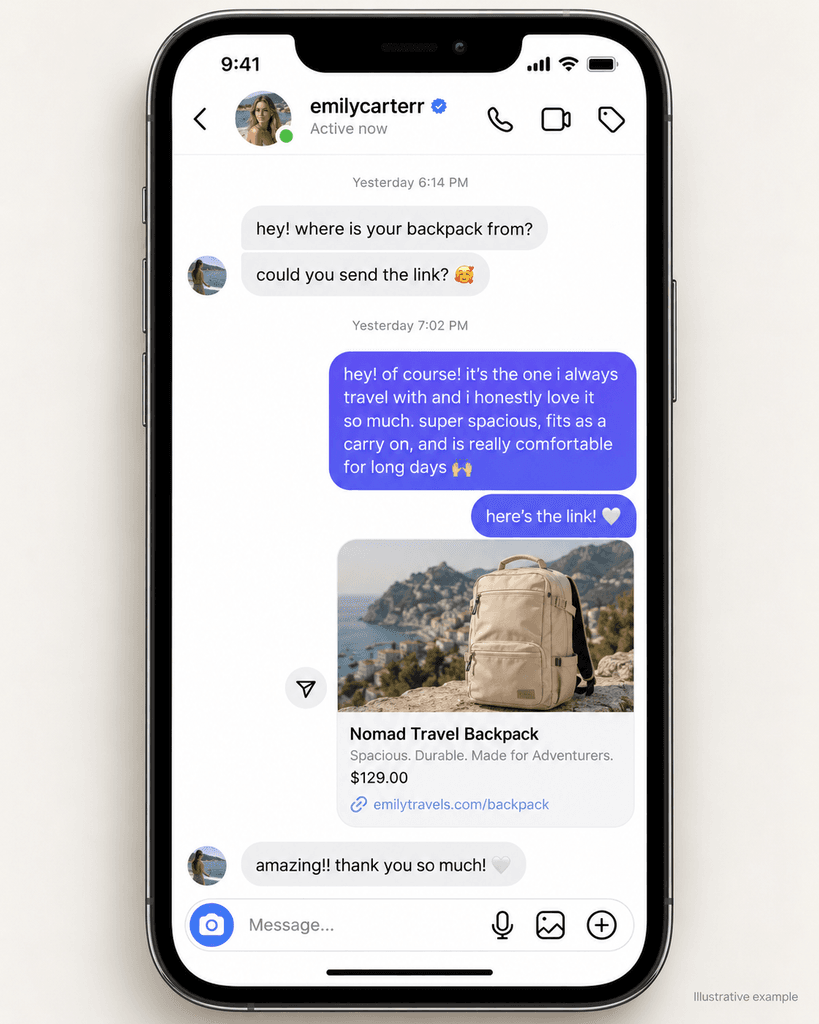
If a follower replies to your Story asking where your backpack is from, you can answer the question and send the link in the same conversation.
Comment-to-DM campaigns can work the same way when someone asks for a link by leaving a keyword on your post or Reel.
Links in DMs are clickable, but the message should still feel like a response, not a cold promotion.
Keep the recommendation relevant to what the person asked for, and make sure any affiliate program you use allows that type of private-message sharing.
Collab Posts
Collab posts let two or more Instagram accounts publish the same post together. The post appears on each collaborator’s profile and shares the same likes and comments, which can expose your recommendation to a wider audience.
You could use a Collab with a brand you’re affiliated with or another creator in your niche to publish a joint roundup, comparison, or product-focused post.
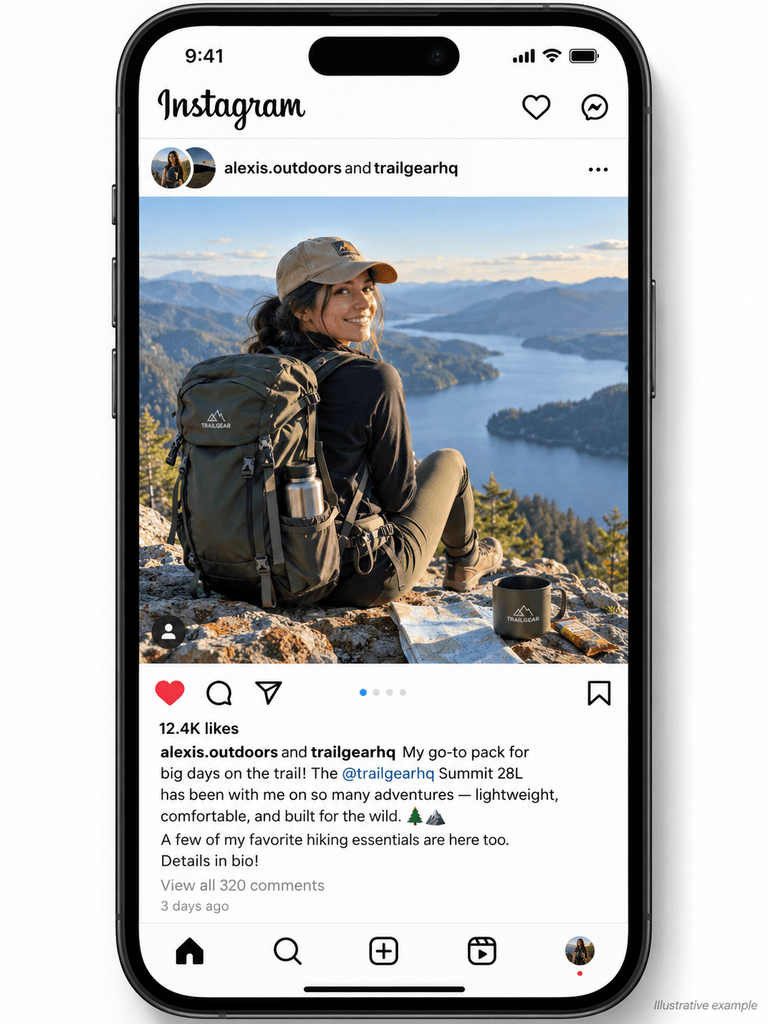
The linking rules are the same as a regular Feed post. A Collab can expand reach, but it doesn’t create a new clickable link placement on its own.
Captions, Comments, and Notes
Captions, comments, and Notes can all support an affiliate recommendation, but they aren’t standard clickable-link placements.
Use captions to explain the product and tell followers where to find the link. Comments can work well for prompts such as “comment ‘LINK’ and I’ll send it to you,” while Notes are better for drawing attention to a deal, product, or new post.
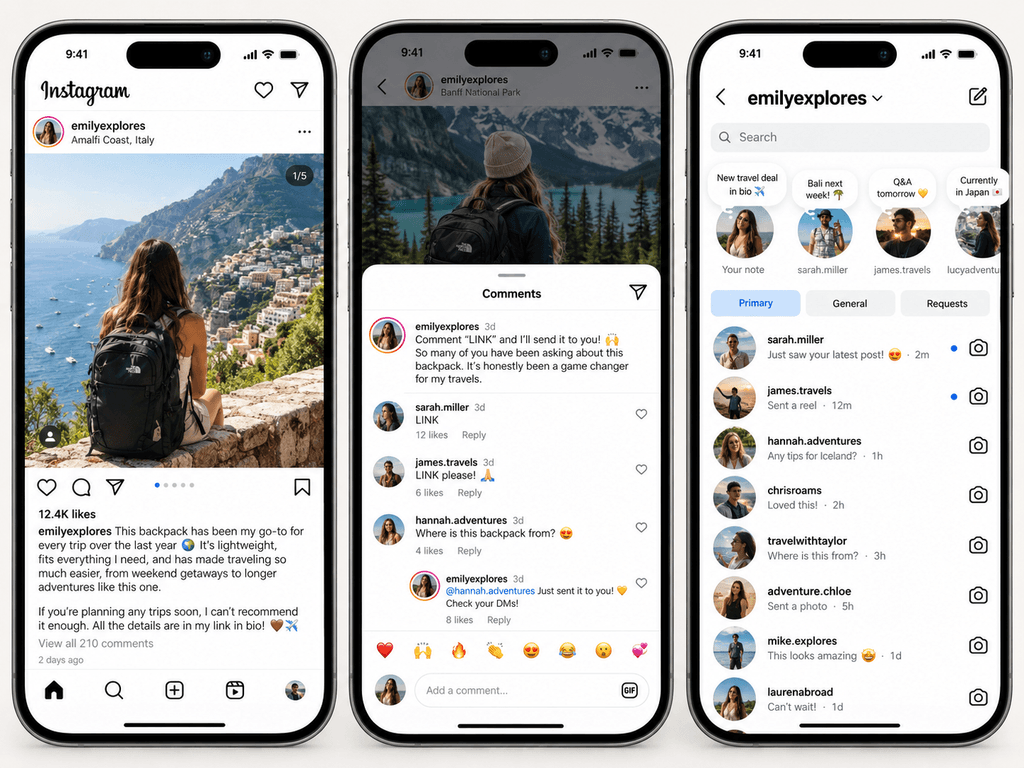
Instagram has tested clickable caption links with some Meta Verified users, but that feature is still limited. For now, treat captions and comments as places to create interest and direct people toward a link they can actually tap.
Affiliate Disclosures on Instagram
If you earn a commission when someone buys through your link, you need to disclose that relationship.
The FTC treats affiliate commissions as a material connection between you and the brand, so followers should be able to tell that you may benefit financially from the recommendation.
The disclosure should appear with the endorsement itself, not on a separate disclosure page or buried at the end of a long caption.
On Instagram, that means putting it somewhere people are likely to see before they act on your recommendation.
Use wording that explains what the relationship actually means. For example:
- “I may earn a commission if you buy through this link.”
- “I earn commissions from purchases made through these links.”
The FTC notes that simply writing “affiliate link” may not be enough because some people may not understand that you earn money from the purchase.
Placement also depends on the format. Put Feed and carousel disclosures early enough in the caption that followers don’t have to tap “more” to find them.
Add the disclosure directly to Stories, and include it in video content rather than relying only on the caption. During a Live, repeat the disclosure periodically since viewers can join at different times.
Instagram’s Paid Partnership label can add another layer of transparency, but it shouldn’t replace your own disclosure. The affiliate relationship should still be obvious from the content itself.
Instagram Affiliate Marketing FAQs
Can You Put Affiliate Links on Instagram?
Yes. You can share clickable affiliate links in places such as your profile, Stories, DMs, and broadcast channels.
Some creators may also have access to Instagram’s native affiliate or product-linking features in Reels and Feed posts.
Standard links in regular captions and comments generally aren’t clickable.
How Many Followers Do You Need for Instagram Affiliate Marketing?
There is no single follower minimum for affiliate marketing on Instagram. Affiliate programs set their own requirements, and Instagram’s native shopping or affiliate features may have separate eligibility rules.
A smaller account can still promote affiliate offers if the program allows it and the audience is relevant to the products being recommended.
Can You Put Amazon Affiliate Links on Instagram?
Yes, as long as you follow Amazon Associates’ rules for where and how its links can be shared.
If you send an Amazon affiliate link through a DM, the message should be solicited, such as when someone asks you for the product link.
Avoid sending unsolicited promotional messages, and make sure any shortened or branded link still complies with Amazon’s terms.
How Do You Disclose Affiliate Links on Instagram?
Place the disclosure close to the recommendation and use wording that makes the financial relationship easy to understand.
For example, “I may earn a commission if you buy through this link” tells followers exactly what the relationship means without relying on vague labels.
Build an Instagram Affiliate Strategy You Can Actually Track
Instagram can support affiliate marketing well, but the strongest setup gives each type of content a specific job. Some posts introduce the product, others answer questions, and your links handle the move from interest to action.
That’s where PrettyLinks becomes more useful than simply shortening a URL.
You can create branded links for different Instagram placements, update destinations without replacing the original link, and compare which links are actually getting clicks.
For example, you might use one pretty link for a Story sticker, another for your Link In Bio page, and another for a Live mention, even when they all lead to the same offer.
That gives you a clearer picture of which Instagram placements are driving traffic and which ones need work.
The goal is to make your recommendations easy to find, easy to act on, and easier to measure over time.
Get Started with PrettyLinks


Leave a Reply