
What Is a Shortlink URL?
Suppose your WordPress site is installed on http://mysitename.com/, and you also own http://short.net/, which points to http://mysitename.com/. The Pretty Links Shortlink URL feature lets you use http://short.net/ as the base URL for your Pretty Links. So a Pretty Link like http://mysitename.com/xyz becomes http://short.net/xyz once you change the Shortlink URL setting.
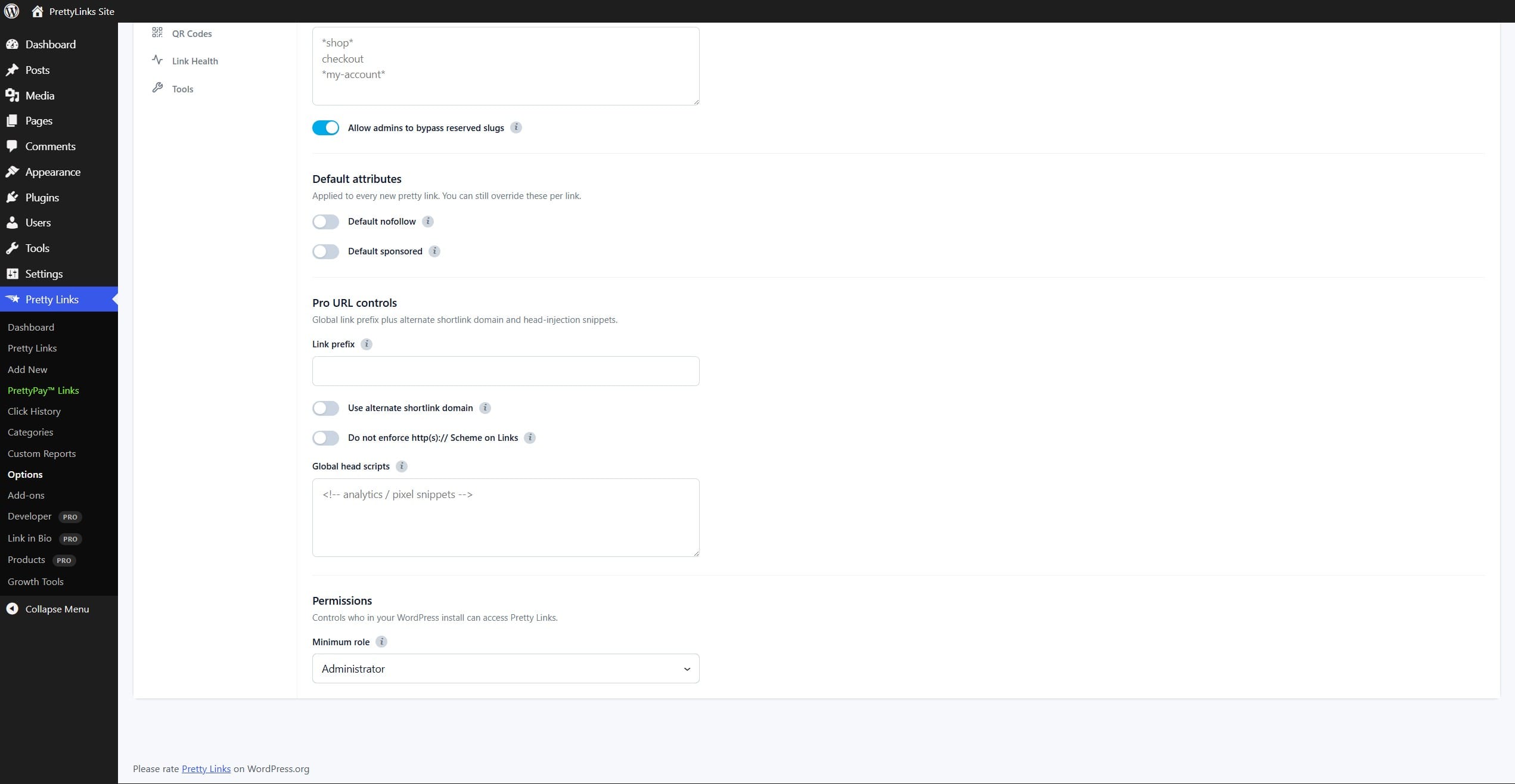
Enable the feature under Dashboard > Pretty Links > Options > Links, in the Pro URL controls section. Turn on Use alternate shortlink domain, then enter your short domain as the base URL.
Can I Use Any Domain Here?
Yes and no. As long as you own the other domain and it points to your WordPress site where Pretty Links is installed, it should work. You cannot use a domain you do not own, and you cannot use a domain that does not point to your WordPress site.
How Do I Point a Second Domain to My Site?
Each web hosting company handles this differently, so it is best to contact yours for help. Generally, set up your alternate URL as a parked domain that uses the same directory or folder as your main WordPress site. The alternate domain also needs the same NS or A, AAAA records as your main domain. If you are unsure, contact your web hosting company for help setting up the parked domain and its DNS.
If your domain provider supports wildcard domain forwarding, that may be easier. Wildcard means http://short.net/* forwards to http://mysitename.com/*, no matter what * is.