
Pretty Links can add an affiliate-disclosure link to any page that uses the Keyword or URL Replacement feature. It works for any page, post, or custom post type. When enabled, you can customize the disclosure link’s URL, text, and position.
Pretty Links offers two disclosure controls. The global Append disclosure link control adds one disclosure link to the top, bottom, or both ends of qualifying content. The inline Disclosure suffix control (Append disclosure after each replaced link) marks each replaced link itself, flagging the affiliate relationship where the link appears.
How to Get It Working on Your Site
Both controls live under Dashboard > Pretty Links > Options > Replacements, in the Shared settings section.
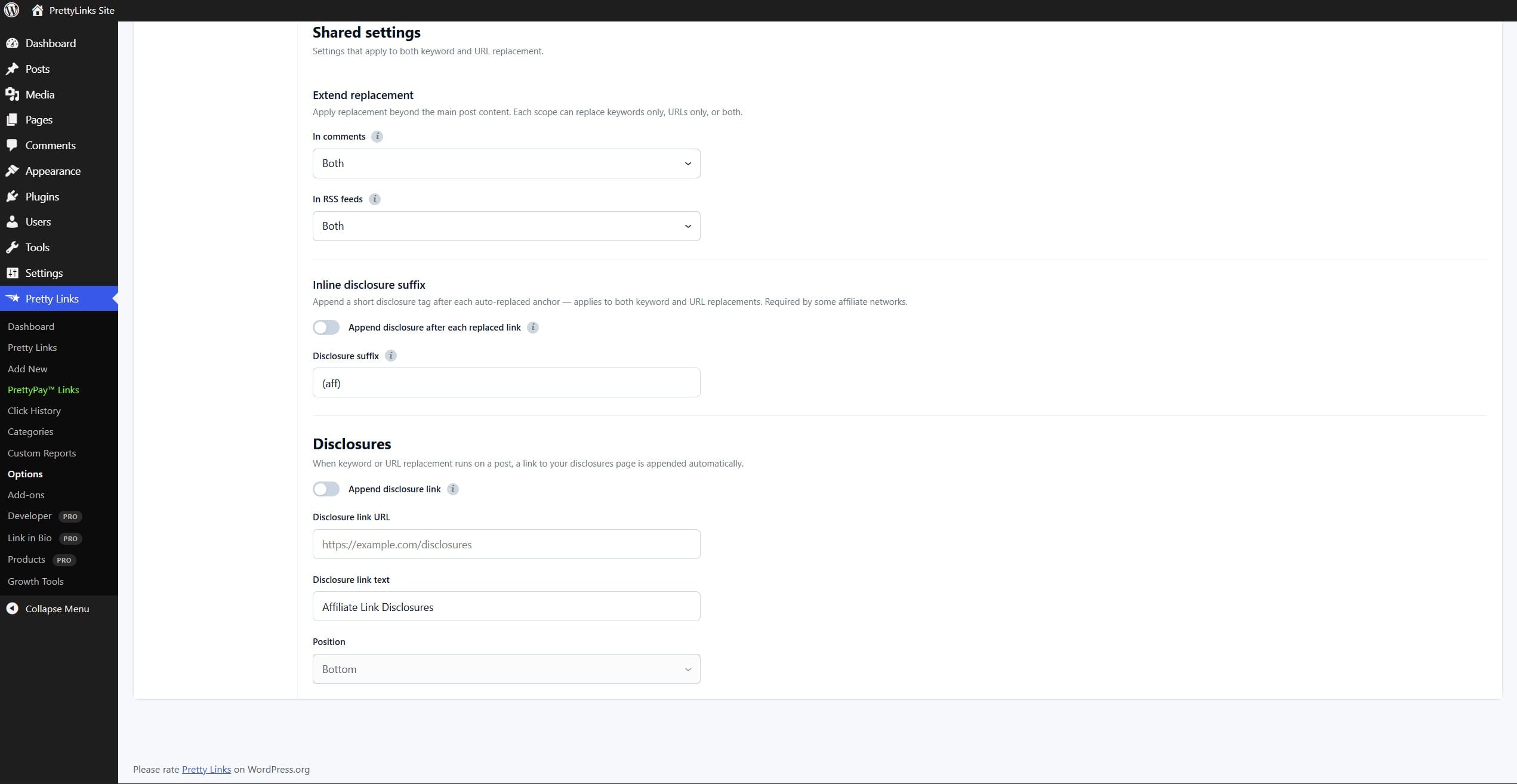
- Enable the disclosure. Turn on Append disclosure link in the Shared settings section.
- Set the disclosure URL. In the URL box, enter the URL of the page that holds your official affiliate disclosures. This URL is used in the generated link.
- Set the link text. Use the Text field to enter the text of the disclosure link. This text is visible to your visitors.
- Set the position. Choose where the disclosure link appears relative to your post content: top only, bottom only, or both.
- Save your settings. Click Update at the bottom of the page.
What It Looks Like
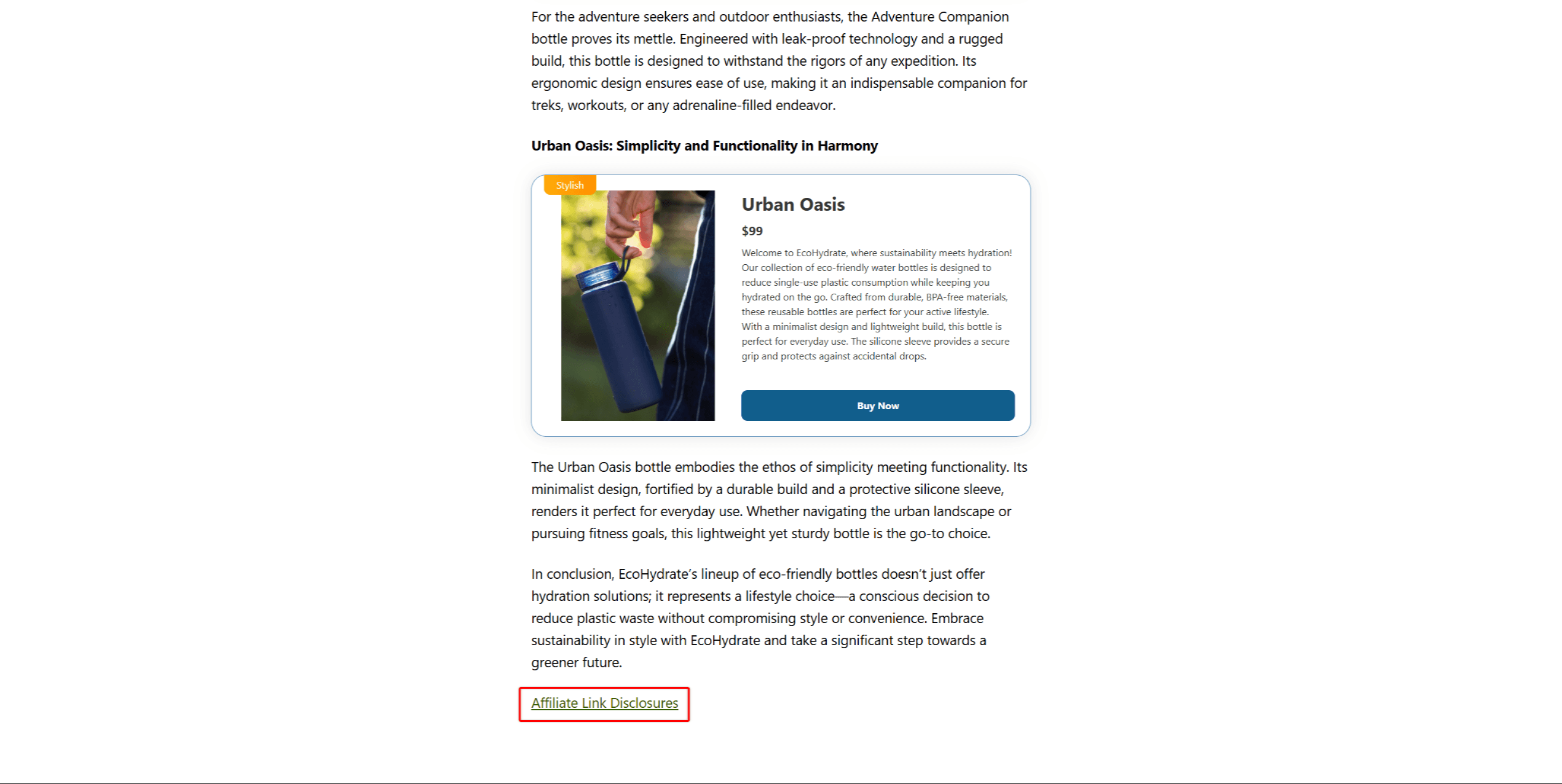
Here is an example at the bottom of a page:
💡 Curious how this fits with the rest of Replacements? Our blog post PrettyLinks Replacements Explained shows how disclosures work alongside Keyword and URL Replacement, and what happens on your site once all three are running together.