
Pretty Links puede añadir un enlace de declaración de afiliación a cualquier página que utilice la función de sustitución de palabras clave o de URL. Funciona con cualquier página, entrada o tipo de entrada personalizada. Cuando está activada, puedes personalizar la URL, el texto y la posición del enlace de declaración.
Pretty Links ofrece dos controles de divulgación. El global Añadir enlace a la información legal El control añade un enlace de divulgación en la parte superior, inferior o en ambos extremos del contenido que cumpla los requisitos. El elemento en línea Sufijo de divulgación control (Añadir una nota informativa después de cada enlace sustituido) marca cada enlace sustituido, indicando la relación de afiliación en el lugar donde aparece el enlace.
Cómo ponerlo en marcha en tu página web
Ambos controles se encuentran en Panel de control > Pretty Links > Opciones > Sustituciones, en el Configuración compartida sección.
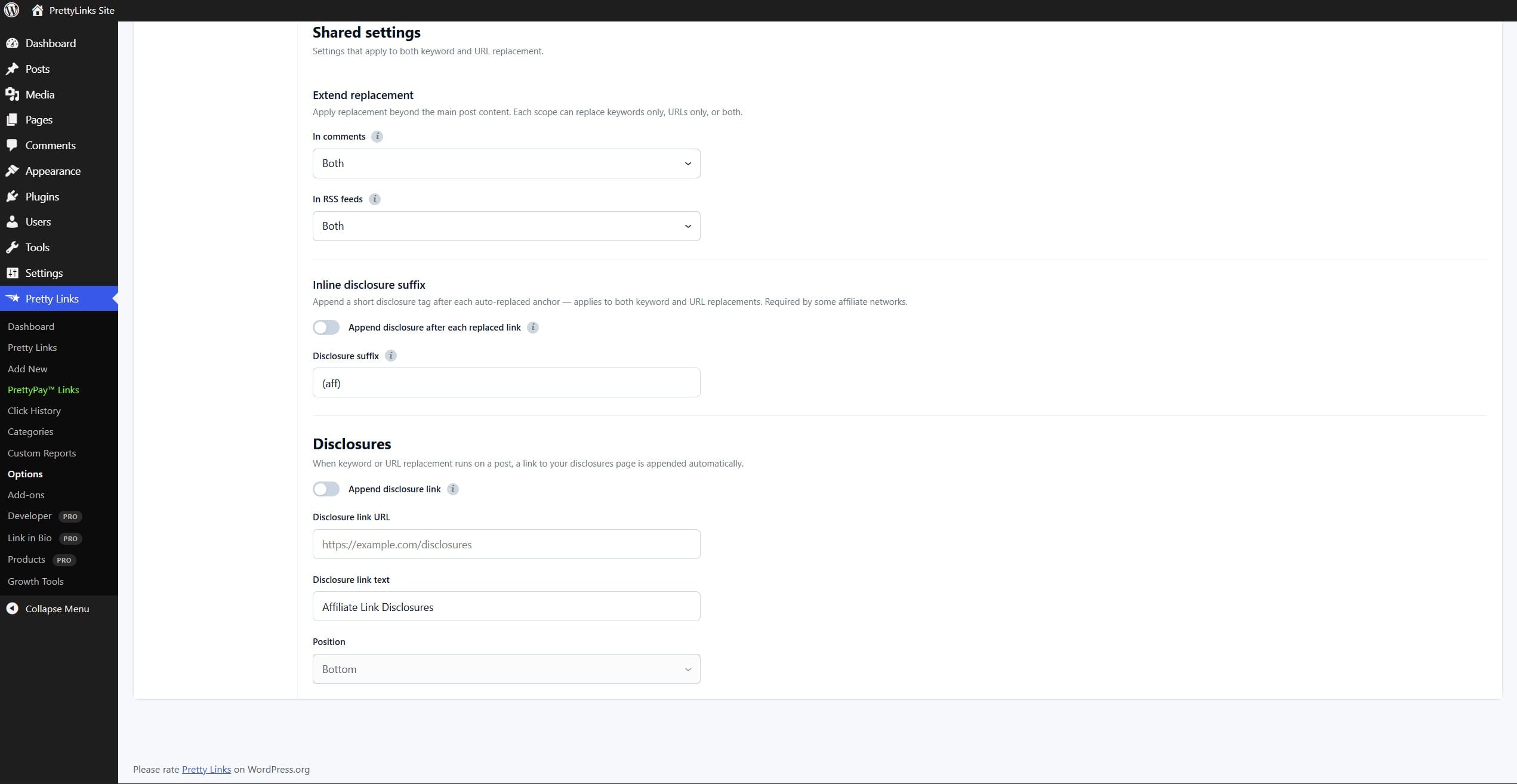
- Activa la divulgación. Encender Añadir enlace a la información legal en el Configuración compartida sección.
- Configura la URL de divulgación. En el URL En el cuadro, introduce la URL de la página que contiene tu información oficial sobre afiliación. Esta URL se utiliza en el enlace generado.
- Establece el texto del enlace. Utilice la Texto Campo para introducir el texto del enlace de aviso legal. Este texto será visible para tus visitantes.
- Establece la posición. Elige dónde aparece el enlace de divulgación en relación con el contenido de tu publicación: solo arriba, solo abajo o en ambos sitios.
- Guarda la configuración. Haga clic en Actualización al final de la página.
Cómo es
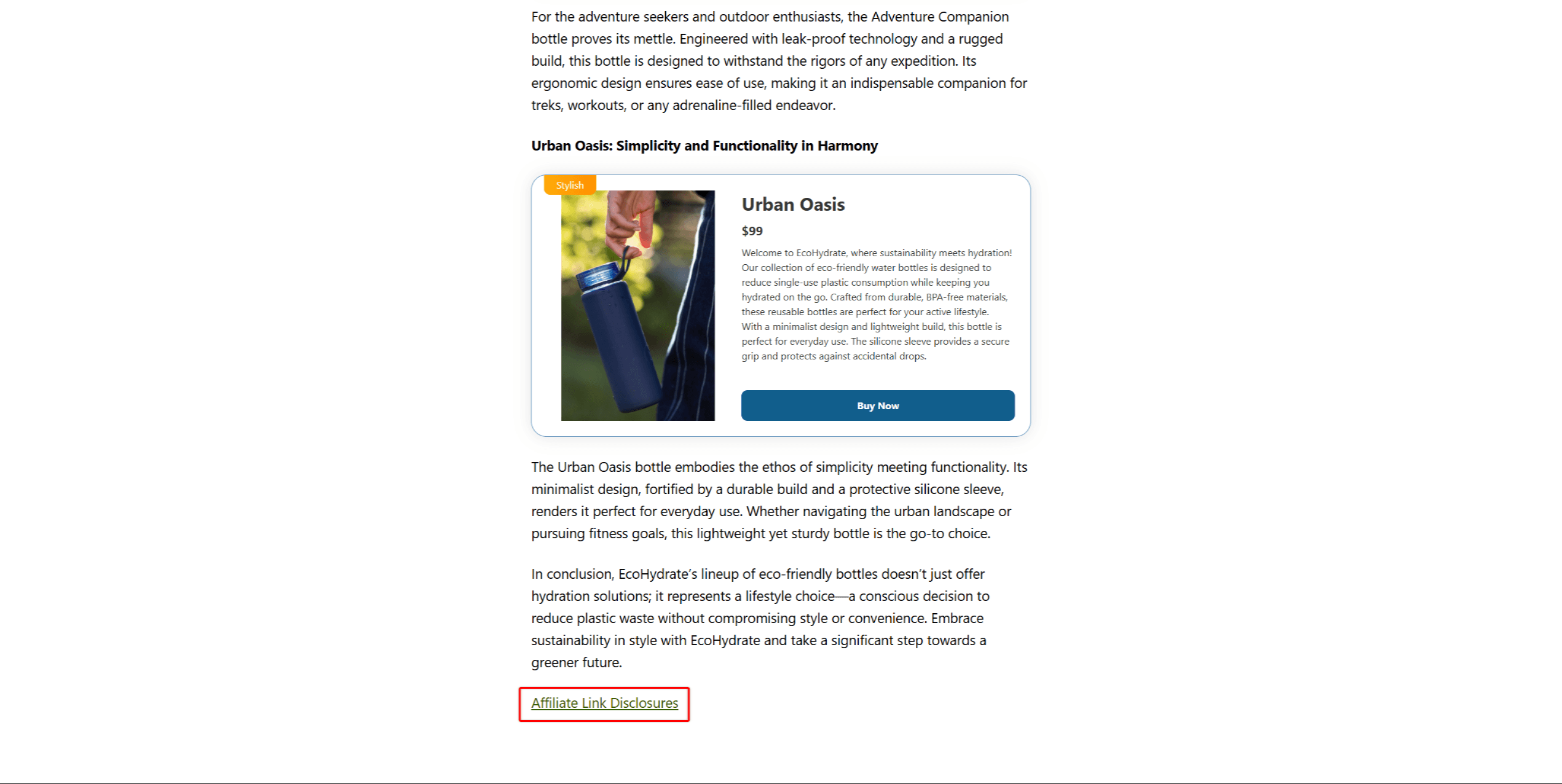
Aquí tienes un ejemplo al final de una página:
💡 ¿Te pica la curiosidad por saber cómo encaja esto con el resto de «Replacements»? Nuestra entrada del blog Explicación de los recambios PrettyLinks muestra cómo funcionan las divulgaciones junto con la sustitución de palabras clave y de URL, y qué ocurre en tu sitio web cuando las tres funciones se ejecutan a la vez.