
URL replacements automatically replace raw target URLs in your content with pretty link versions when the page is rendered. It’s the URL-level cousin of keyword replacements: instead of replacing words, it replaces full URLs.
What URL Replacement Does
If you’ve ever pasted a long affiliate URL directly into a post and later wished it were a pretty link instead, URL replacement is for you. Once configured, Pretty Links scans your rendered content for the target URL and swaps it for the pretty URL on the fly.
Example: you’ve written 50 posts that all mention https://partner.com/?ref=12345. Configure that URL as a target for your affiliate pretty link, turn on URL replacements, and now all 50 posts display the pretty URL instead — without you editing a single one.
The original posts in your database aren’t modified. The replacement happens at render time, so you can change your mind later.
💡 Wondering when you’d actually reach for this? Our blog post PrettyLinks Replacements Explained covers the situations URL Replacement was built for, including the affiliate links you placed before PrettyLinks and the partner URLs that changed on you along the way.
Two Flavors of URL Replacement
Per-Link Aliases
Each pretty link can have a target URL plus a list of aliases — alternative URLs that should also be replaced with this pretty link.
This is useful when a partner has multiple URLs that all lead to the same destination:
https://partner.com/?ref=12345https://partner.com/landing?utm=campaign1https://www.partner.com/?ref=12345
Add all three as aliases of your single affiliate pretty link, and any of them in your content gets replaced with the pretty URL.
Replace All URLs
Beyond aliases, you can also turn on Replace all URLs globally. With this on, any time Pretty Links finds a URL in your content that matches a configured pretty link’s target URL, it replaces it.
You don’t have to manually maintain alias lists for the basic case — your link’s primary target URL is automatically replaced.
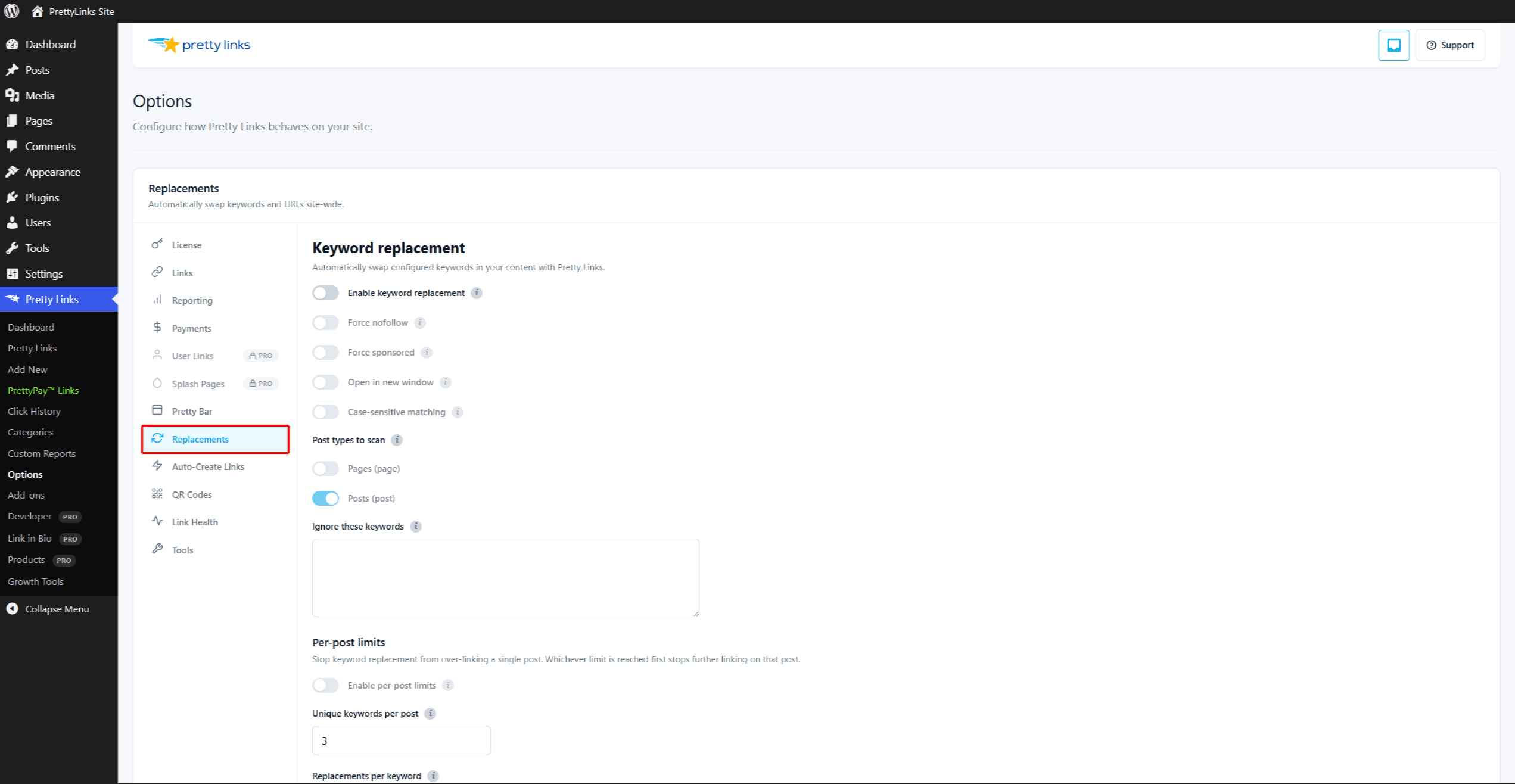
Configure these settings at Dashboard > Pretty Links > Options > Replacements.
Limit Replacement to Specific Post Types
You can also restrict where URL replacement runs by post type — posts, pages, or any custom post type. Replacements then run only on the post types you allow. Set the Post types to scan under Dashboard > Pretty Links > Options > Replacements.
Auto-Create Unknown URLs
When Pretty Links encounters a URL in your content that doesn’t yet have a pretty link, it can automatically create one for you.
With auto-create-on-replacement enabled:
- You paste
https://newpartner.com/?ref=789into a blog post. - Pretty Links sees the URL on the next render.
- A pretty link is created automatically pointing to that URL, with default settings.
- Going forward, the URL is replaced with the new pretty version.
This suits high-volume content sites where you don’t want to manually pre-create pretty links for every outbound URL.
The downside: you can end up with a lot of auto-created pretty links cluttering your list, including some you may not have meant to keep. Audit periodically and clean up the ones that aren’t earning their keep.
URL Exclusion List
Sometimes you want certain URLs never to be auto-replaced — internal navigation, author bios, social profiles in a footer, links to your own pages, etc.
Add those URLs (or URL patterns) to the URL exclusion list in Dashboard > Pretty Links > Options > Replacements. URLs matching the exclusion list are skipped, no matter what.
You can use exact URLs or wildcards:
https://yoursite.com/about— exact URLhttps://yoursite.com/*— anything on your own domainhttps://twitter.com/*— anything on Twitter
A common starter exclusion list:
- Your own domain.
- Your social profiles.
- Any partner URLs you specifically want to display raw (transparency, attribution).
Per-Post Override
You can disable URL replacements on a specific post from the post options metabox. Useful for documentation pages, screenshots-of-URLs, or any context where the literal URL needs to remain visible.
Force Nofollow and Sponsored
Like keyword replacements, URL-replaced links inherit the link’s nofollow and sponsored settings. You can also force these globally at Dashboard > Pretty Links > Options > Replacements as a safety net.
What URL Replacement Doesn’t Touch
To avoid breaking pages, URL replacement skips:
- Image src attributes — Image URLs stay intact;
- Iframe src attributes — Embedded content keeps its source URL;
- Form action attributes — Form submission URLs aren’t replaced;
- URLs already wrapped in
<a>tags pointing somewhere else — Existing intentional links are left alone; - Code and pre-formatted blocks — URLs inside
<code>or<pre>stay literal; - Excluded URLs — As configured.
Performance
URL replacement scans your content on render, similar to keyword replacement. The cost is small even with many configured URLs. Pair with page caching if you have very high traffic and an extensive replacement list.
Tips
- Start with auto-create off. Get a feel for which URLs you want as pretty links before turning on auto-creation. Otherwise you’ll generate dozens of links you don’t want;
- Block your own domain to avoid converting internal navigation;
- Audit periodically. Visit a few representative posts and view source to confirm replacements are working as expected;
- Combine with keyword replacements for full coverage — keywords catch named-mentions, URL replacements catch raw-URL mentions.