
Every Pretty Link has a set of per-link options you can toggle from the link’s edit screen. These let you fine-tune behavior for individual links without changing your global settings.
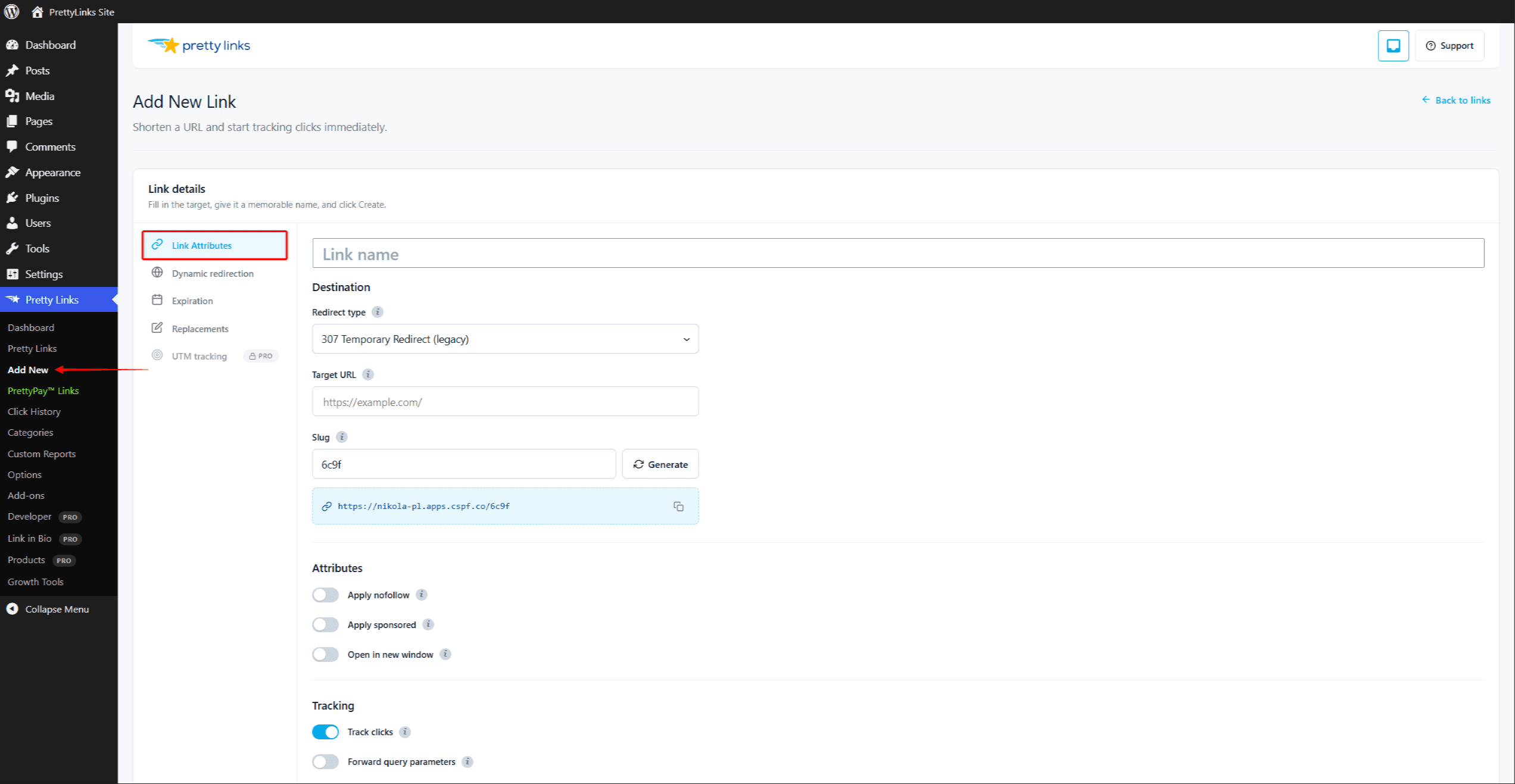
Track This Link
Turn click tracking on or off for an individual link. When enabled, every visit is recorded in your reports along with timestamp, IP (subject to your privacy settings), and other details.
You might disable tracking for internal links you don’t care about, or for links you want to keep especially private. Most users leave this on so they can see how their links are performing.
For more on what gets tracked and how, see Click Tracking Modes.
Nofollow
Adds a rel="nofollow" attribute when the link is rendered in your content (for example, by keyword replacements or shortcodes).
Nofollow tells search engines: “Don’t pass SEO authority through this link.” It’s the polite default for affiliate links, sponsored content, and any URL you don’t want to vouch for.
Sponsored
Adds rel="sponsored" to rendered links. This is Google’s preferred signal for paid links, affiliate links, and any link that exists because of a commercial relationship.
You can use Nofollow and Sponsored together — many site owners do, especially on affiliate links, to be extra clear with search engines.
Open in New Window
When the rendered link is clicked, the destination opens in a new tab or window instead of replacing the current page. This is handy for outbound links where you want visitors to stay on your site.
This option only adds target="_blank" to links rendered into your content. That covers keyword or URL replacements, shortcodes, and the block and classic editor inserts. It does not change the HTTP redirect itself, so visiting the pretty URL directly follows the browser’s normal behavior.
Forward Query Parameters
When enabled, anything tacked onto the end of your pretty URL is passed through to the target URL.
For example, if your pretty link is yoursite.com/sale pointing at partner.com/products, then a visit to yoursite.com/sale?coupon=SUMMER will redirect to partner.com/products?coupon=SUMMER.
This is essential for:
- UTM tracking parameters (
?utm_source=newsletter); - Affiliate sub-IDs (
?subid=blogpost42); - Coupon codes and other dynamic data.
If forwarding is off, the visitor lands on partner.com/products with no extra parameters.
Name and Description
The Name field is the friendly title you see in your links list and reports. Make it something you’ll recognize at a glance — “Summer 2026 affiliate promo” beats “Link 47.”
The Description field is a private notes area, only visible to you and other admins inside WordPress. Use it to remind yourself:
- Who you sent the link to;
- What campaign it belongs to;
- When it should be retired;
- Any special context that future-you will thank you for.
Neither field is shown to visitors who click the link.
Setting Your Defaults
Most of these options have global defaults you can set at Dashboard > Pretty Links > Options > Links. New links inherit your defaults; you can override on a per-link basis any time. See Default Link Settings for details.