
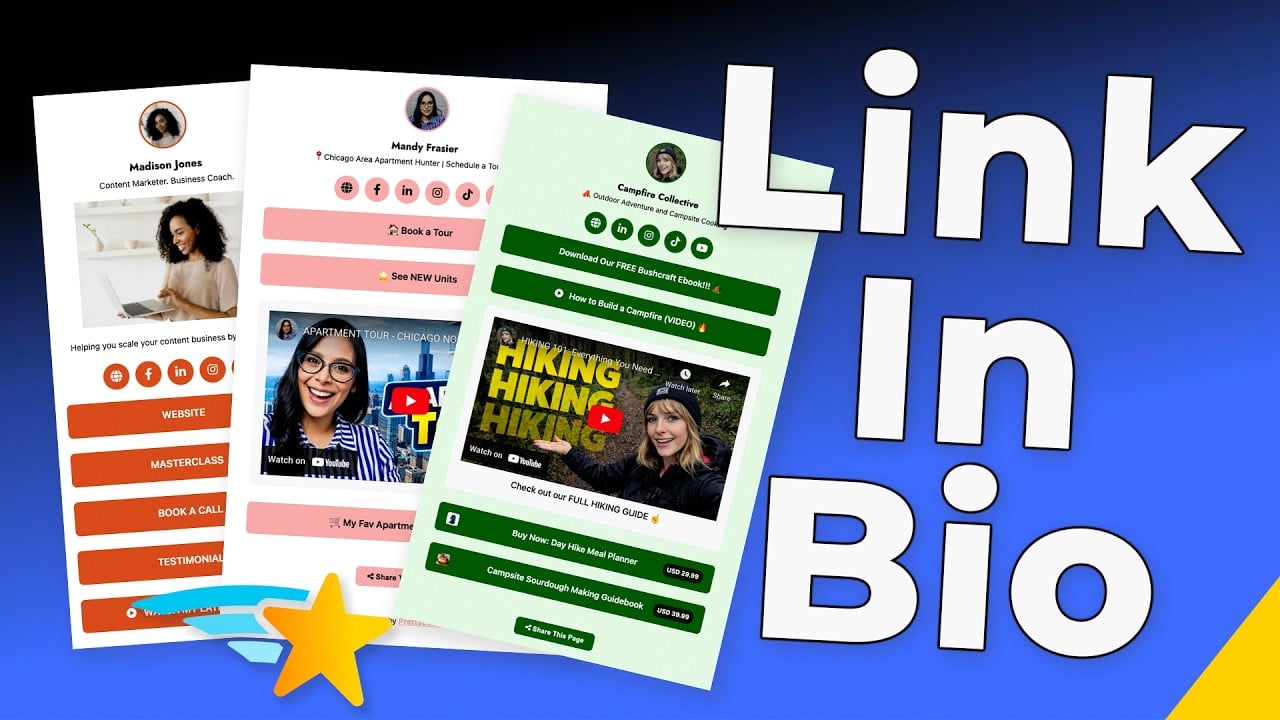
Stop Choosing Which Link Gets the Spotlight
Build your one bio link out into a mobile landing page that stacks your top affiliate offer above your latest blog post above your newest PrettyPay™ link — then drag and drop the order anytime your priorities shift. Every promotion stays live. Every campaign keeps earning.
Own the Link That Powers Your Brand
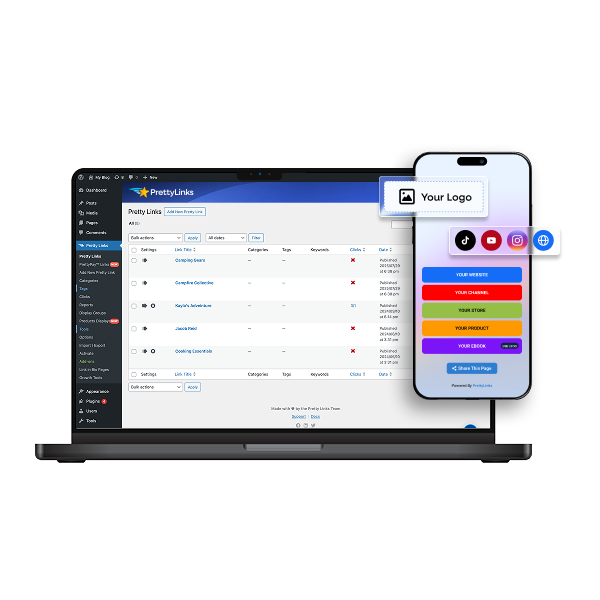
Land visitors on your WordPress site the moment they tap your bio link. One click and they’re already inside your world, immersed in your brand, and tracked by your dashboard — never routed through a third-party platform.
Flexible Templates That Match How You Promote
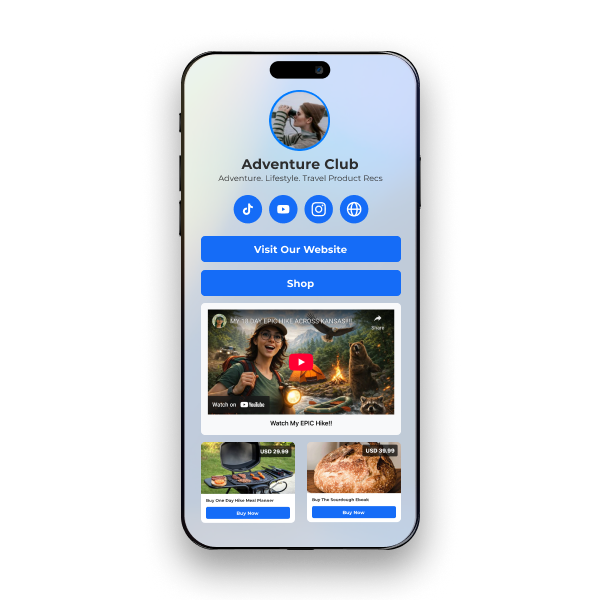
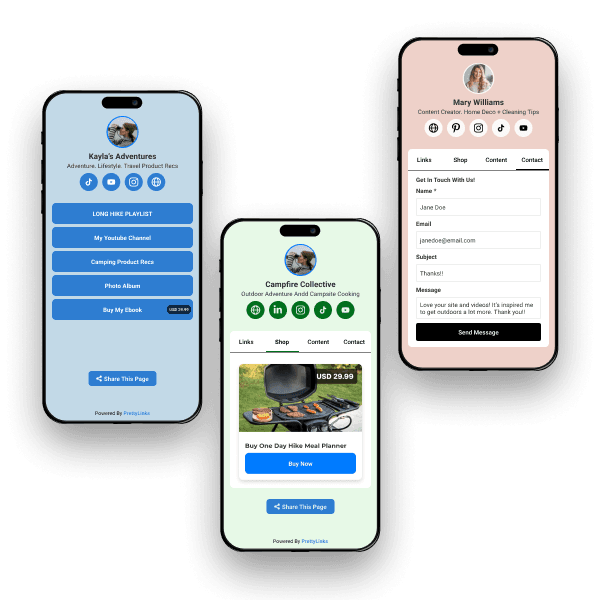
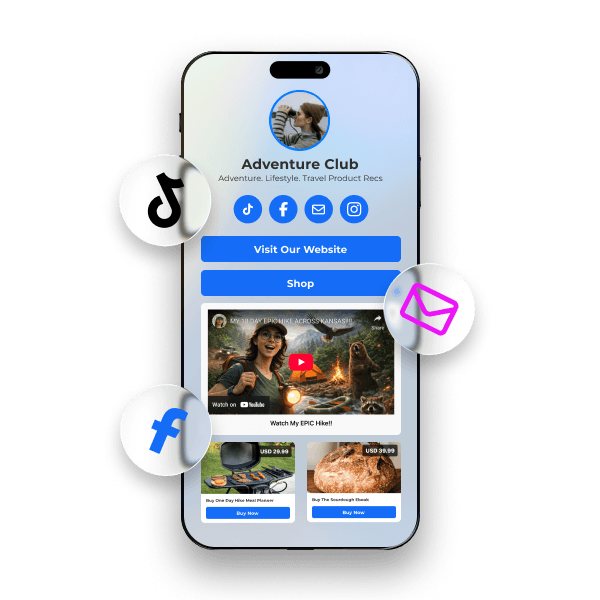
Choose from three ready-to-use templates: Minimalist to keep your highest-priority links front and center, Product-Focused to turn your bio page into a storefront, or Hybrid to organize your shop and your content into tabs your audience can flip between.
Build a Different Bio Page for Every Audience
Spin up unlimited bio pages — one for every platform, audience, or campaign you run. Feature different offers for different crowds and share each page with its own short URL or QR code so you can see exactly which page is earning and where inside PrettyLinks.
Track Every Click That Turns Into a Commission
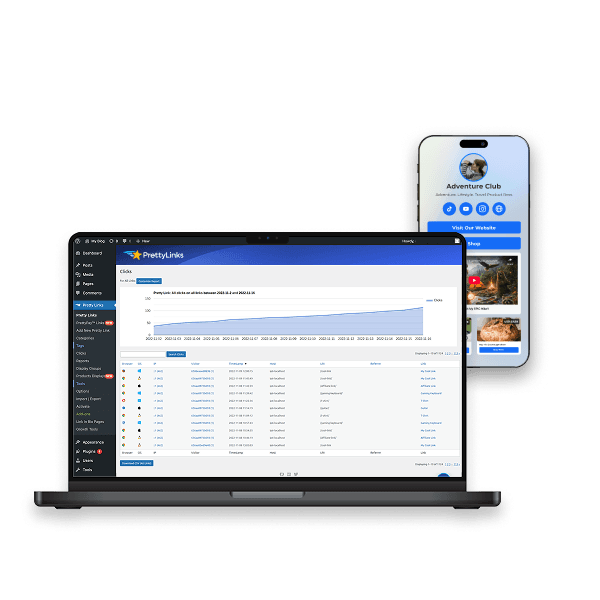
Every click on your Bio page flows into the PrettyLinks dashboard. See which offers convert, which platforms drive the most traffic, and which buttons earn their place. From there, A/B test and swap underperformers in seconds based on real data.
Frequently Asked Questions
Answers on hosting your bio page on your own domain with PrettyLinks, selling directly from it, tracking clicks, and building a separate page for each platform.
Yes, and that’s the PrettyLinks difference. Your Link in Bio page lives on your WordPress site — not on a third-party platform you’re paying monthly to borrow.
Which means the very first click already lands visitors on your site, on a URL that matches your brand instead of somebody else’s. That’s traffic in the door before they’ve even chosen where they’re headed next.
From there, every move is yours to see: which buttons they clicked, which ones they skipped, and which platform sent the followers who actually engage.
Our Meet the NEW PrettyLinks Link In Bio article covers what you get when your bio link points somewhere you actually own.
Way more than links! Your bio page can hold affiliate links, PrettyPay™ checkout buttons, embedded YouTube and Vimeo videos, product displays, and a contact form.
So instead of a list pointing people elsewhere, you get a page where things actually happen. A follower can watch your latest video, browse your recommendations, and check out — without ever leaving.
Our What to Put in Your Link in Bio article walks through what earns a spot and what’s just taking up room.
Yes, with a PrettyPay™ checkout button. Followers tap, pay through Stripe’s secure checkout, and land back on your site on the Thank You page you choose. No cart to build, no ecommerce store to set up.
Selling a few things? Switch to the Cards template and your bio page becomes a shop-style grid. Add your product display links and each one shows up as its own card with an image, price, and checkout button — closer to a storefront than a link list.
Our Creating a Bio Page doc shows you how to add a checkout button alongside your other links.
Yes, every button on your bio page is a pretty link, so the clicks land in the same dashboard as everything else.
Yes, build as many as you want. Nobody follows you on Instagram for the same reason they follow you on LinkedIn, so the page they land on shouldn’t be identical either.
Instagram is a visual shopping crowd, so make that one a Cards page stacked with product displays. LinkedIn wants your resources and your long-form work. Podcast listeners want show notes and the video version of the episode.
This way, every follower lands on something built for them instead of scrolling past four buttons meant for somebody else. And because each page has its own link, you’ll see which platform is sending the followers who actually click.
Our Creating a Bio Page doc gets your first one built. After that you’ll have the hang of it, and the rest come together fast.