
Hören Sie auf zu wählen, welcher Link ins Rampenlicht gerät
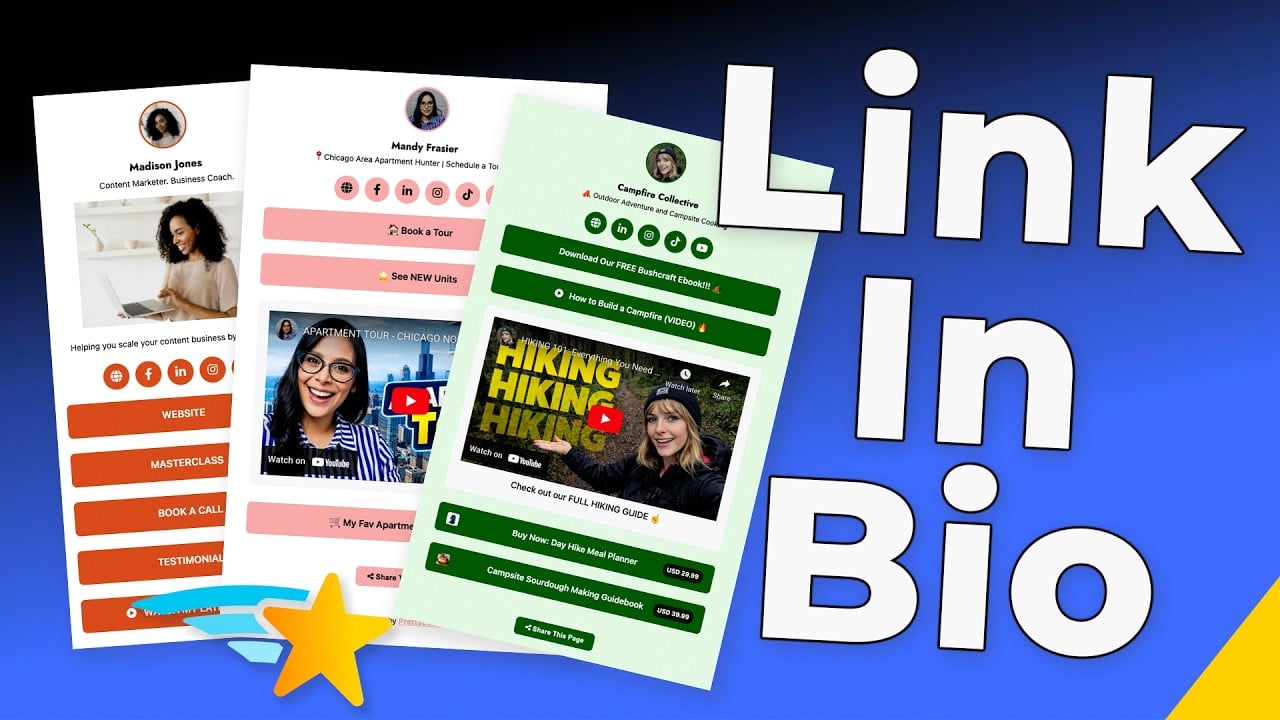
Bauen Sie Ihren Bio-Link zu einer mobilen Landing Page aus, die Ihr wichtigstes Affiliate-Angebot über Ihren neuesten Blogbeitrag über Ihren neuesten PrettyPay™-Link stapelt - und verschieben Sie die Reihenfolge, wenn sich Ihre Prioritäten ändern. Jede Aktion bleibt live. Jede Kampagne bringt weiterhin Geld ein.
Besitzen Sie die Verbindung, die Ihre Marke antreibt
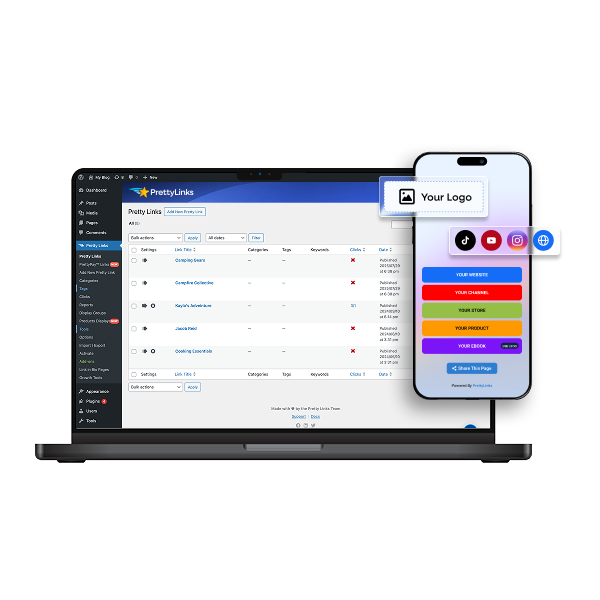
Leiten Sie Besucher direkt auf Ihre WordPress-Seite weiter, sobald sie auf den Link in Ihrer Biografie tippen. Ein Klick genügt, und schon befinden sie sich in Ihrer Welt, tauchen in Ihre Marke ein und werden über Ihr Dashboard erfasst – ganz ohne Umleitung über eine Drittanbieter-Plattform.
Flexible Vorlagen, die zu Ihnen passen Fördern Sie
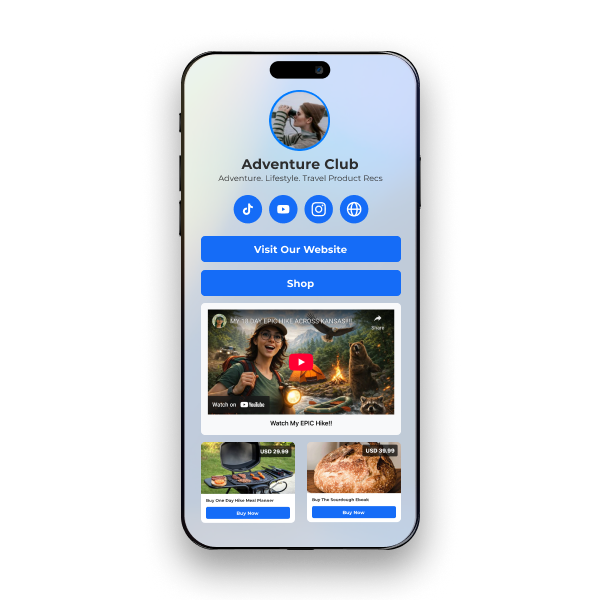
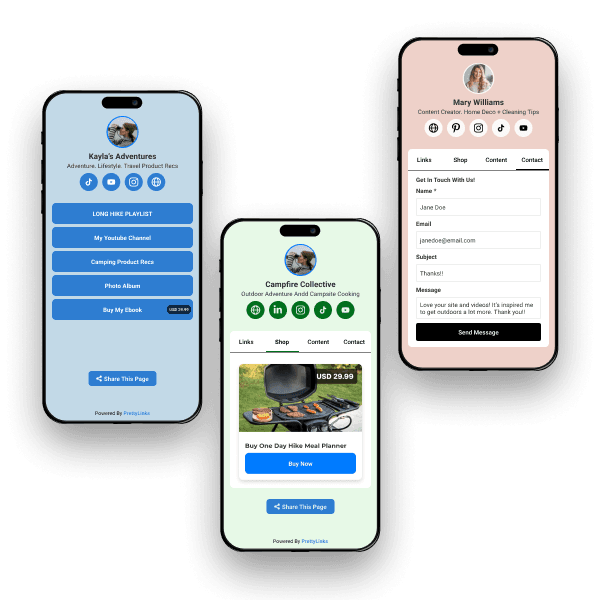
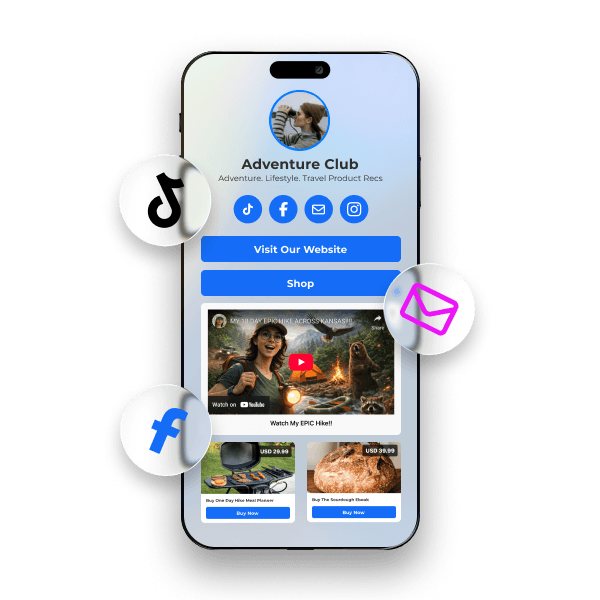
Wählen Sie aus drei gebrauchsfertigen Vorlagen: Minimalistisch um die Links mit der höchsten Priorität im Vordergrund zu halten, Produktorientiert um Ihre Bioseite in ein Schaufenster zu verwandeln, oder Hybride um Ihren Shop und Ihre Inhalte in Registerkarten zu gliedern, zwischen denen Ihr Publikum hin und her blättern kann.
Erstellen Sie eine andere Bioseite für jede Zielgruppe
Erstellen Sie eine unbegrenzte Anzahl von Bioseiten - eine für jede Plattform, Zielgruppe oder Kampagne, die Sie betreiben. Bieten Sie unterschiedliche Angebote für unterschiedliche Zielgruppen an und teilen Sie jede Seite mit einer eigenen Kurz-URL oder einem QR-Code, damit Sie genau sehen können, wo sie sich befindet. die Seite ist einträglich und wobei innerhalb von PrettyLinks.
Verfolgen Sie jeden Klick, der in eine Provision umgewandelt wird
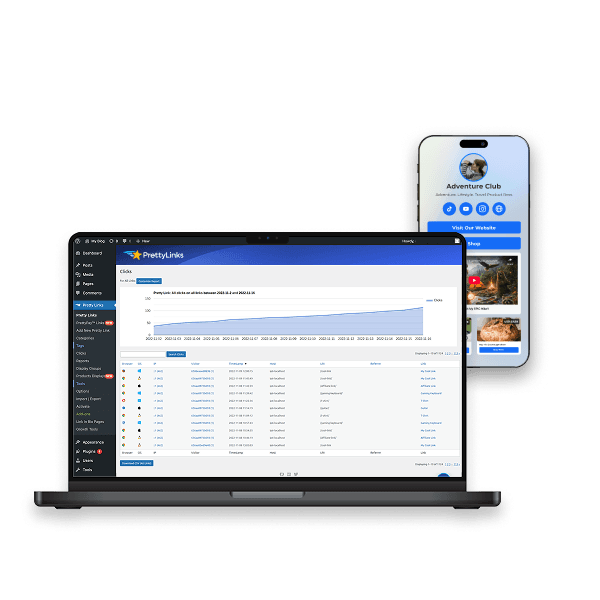
Jeder Klick auf Ihrer Bio-Seite fließt in das PrettyLinks-Dashboard. Sehen Sie, welche Angebote konvertieren, welche Plattformen den meisten Traffic bringen und welche Schaltflächen ihren Platz verdienen. Von dort aus können Sie A/B-Tests durchführen und Underperformer in Sekundenschnelle auf der Grundlage echter Daten austauschen.
Häufig gestellte Fragen
Antworten zum Hosten Ihrer Bio-Seite auf Ihrer eigenen Domain mit PrettyLinks, zum direkten Verkauf über diese Seite, zur Nachverfolgung von Klicks und zur Erstellung einer separaten Seite für jede Plattform.
Ja, und genau darin liegt der Unterschied bei PrettyLinks. Ihre „Link in Bio“-Seite befindet sich auf Ihrer WordPress-Website – und nicht auf einer Plattform eines Drittanbieters, für deren Nutzung Sie monatlich bezahlen müssen.
Das bedeutet, dass Besucher bereits mit dem allerersten Klick auf Ihrer Website landen – auf einer URL, die zu Ihrer Marke passt und nicht zu der eines anderen Anbieters. So gewinnen Sie Besucher, noch bevor diese überhaupt entschieden haben, wohin sie als Nächstes gehen.
Von da an können Sie jeden Schritt mitverfolgen: welche Schaltflächen sie angeklickt haben, welche sie übersprungen haben und über welche Plattform die Follower gekommen sind, die sich tatsächlich aktiv beteiligen.
Unser Lernen Sie den NEUEN PrettyLinks-Link in der Bio kennen In diesem Artikel erfahren Sie, welche Vorteile es hat, wenn Ihr Bio-Link auf eine Seite verweist, die Ihnen tatsächlich gehört.
Viel mehr als nur Links! Auf Ihrer Profilseite können Sie Affiliate-Links, PrettyPay™-Bezahlbuttons, eingebettete YouTube- und Vimeo-Videos, Produktpräsentationen sowie ein Kontaktformular einbinden.
Anstelle einer Liste, die die Nutzer auf andere Seiten weiterleitet, erhalten Sie also eine Seite, auf der tatsächlich etwas passiert. Ein Follower kann sich Ihr neuestes Video ansehen, Ihre Empfehlungen durchstöbern und einen Blick darauf werfen – ohne die Seite jemals verlassen zu müssen.
Unser Was du in deinen „Link in Bio“ einfügen solltest Der Artikel erklärt, was sich einen Platz verdient und was nur Platz wegnimmt.
Ja, mit einem PrettyPay™-Checkout-Button. Ihre Follower tippen darauf, bezahlen über den sicheren Checkout von Stripe und gelangen anschließend zurück auf Ihre Website – auf die von Ihnen gewählte Dankeseite. Sie müssen weder einen Warenkorb erstellen noch einen E-Commerce-Shop einrichten.
Möchtest du ein paar Dinge verkaufen? Wechsle zur Vorlage „Karten“, und deine Biografie-Seite verwandelt sich in ein Raster im Shop-Stil. Füge deine Produktlinks hinzu, und jeder Link wird als eigene Karte mit Bild, Preis und Checkout-Button angezeigt – das erinnert eher an ein Schaufenster als an eine Linkliste.
Unser Erstellen eines Dokuments für die Biografie-Seite zeigt Ihnen, wie Sie neben Ihren anderen Links eine Schaltfläche „Zur Kasse“ einfügen können.
Ja, jeder Button auf deiner Bio-Seite ist ein „Pretty Link“, sodass die Klicks im selben Dashboard landen wie alles andere auch.
Ja, erstelle so viele, wie du möchtest. Niemand folgt dir auf Instagram aus demselben Grund wie auf LinkedIn, daher sollte auch die Seite, auf der die Nutzer landen, nicht identisch sein.
Instagram ist eine Plattform für visuelles Shopping – gestalten Sie diese Seite daher als „Cards“-Seite mit zahlreichen Produktpräsentationen. LinkedIn ist an Ihren Ressourcen und Ihren ausführlichen Beiträgen interessiert. Podcast-Hörer wünschen sich Show-Notizen und die Videoversion der Folge.
Auf diese Weise gelangt jeder Follower direkt zu einem Inhalt, der speziell für ihn erstellt wurde, anstatt an vier Schaltflächen vorbeizuscrollen, die für jemand anderen gedacht sind. Und da jede Seite einen eigenen Link hat, kannst du sehen, von welcher Plattform die Follower kommen, die tatsächlich darauf klicken.
Unser Erstellen eines Dokuments für die Biografie-Seite So baust du dein erstes Exemplar. Danach hast du den Dreh raus, und der Rest geht ganz schnell.