
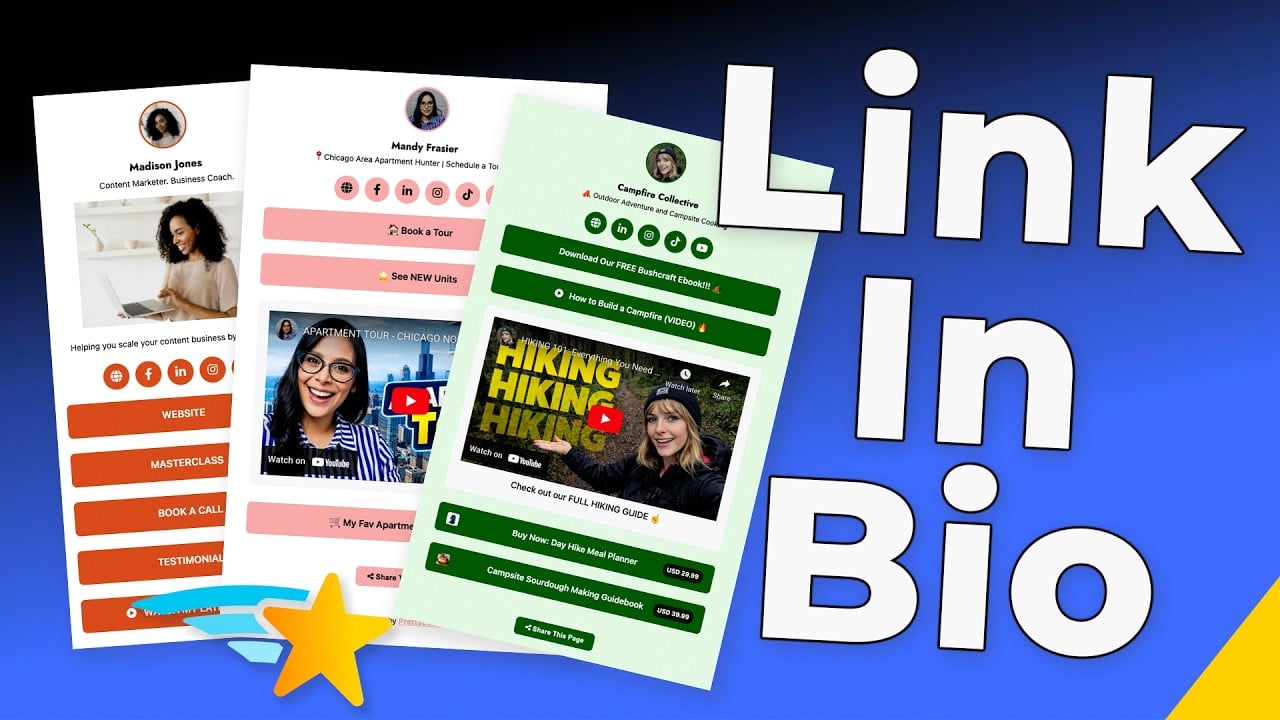
Ne plus choisir le lien qui sera mis en avant
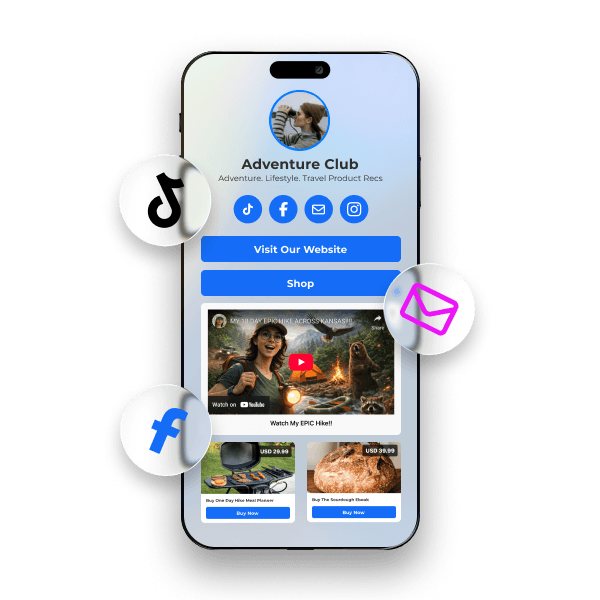
Construisez votre lien bio unique en une page d'atterrissage mobile qui empile votre meilleure offre d'affiliation au-dessus de votre dernier article de blog au-dessus de votre lien PrettyPay™ le plus récent - puis faites glisser l'ordre à chaque fois que vos priorités changent. Chaque promotion reste en ligne. Chaque campagne continue de rapporter.
S'approprier le lien qui alimente votre marque
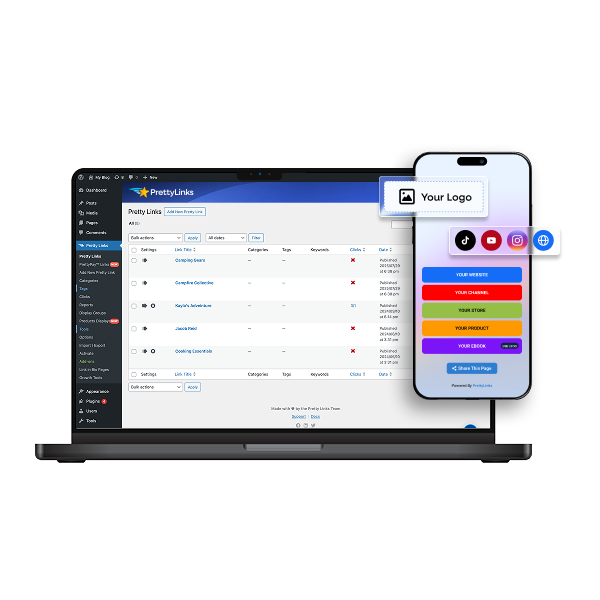
Redirigez les visiteurs vers votre site WordPress dès qu’ils cliquent sur le lien de votre biographie. En un seul clic, ils se retrouvent déjà dans votre univers, plongés au cœur de votre marque, et leur parcours est suivi depuis votre tableau de bord — sans jamais passer par une plateforme tierce.
Des modèles flexibles qui s'adaptent à votre façon de travailler Promouvoir
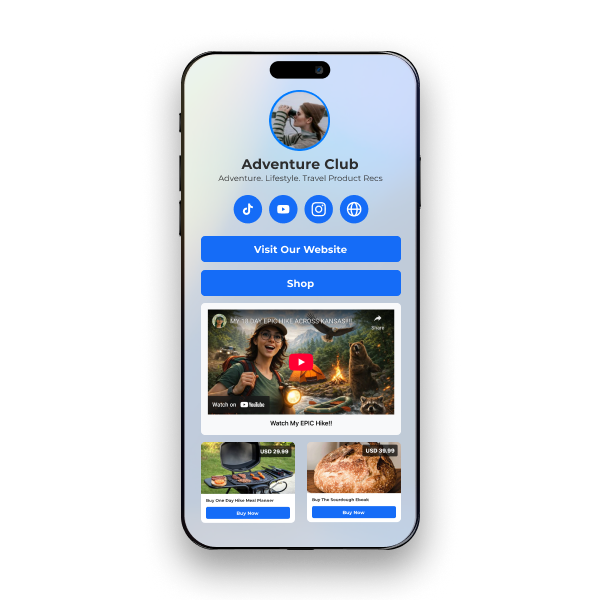
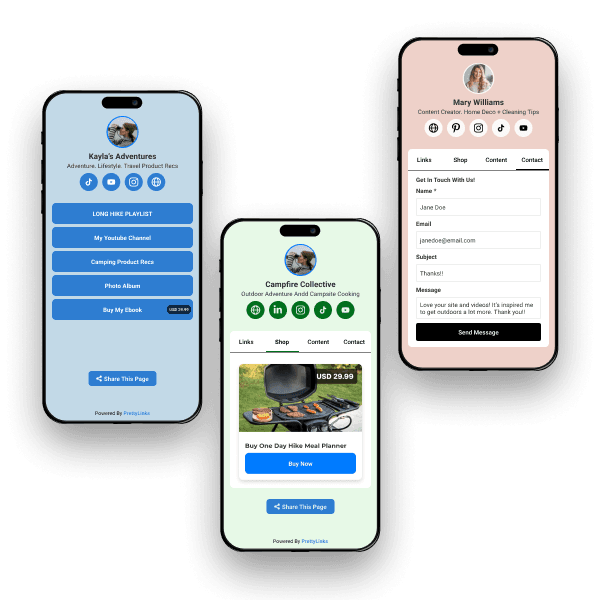
Choisissez parmi trois modèles prêts à l'emploi : Minimaliste pour que vos liens prioritaires restent au premier plan, Axé sur le produit pour transformer votre page bio en vitrine, ou Hybride pour organiser votre boutique et votre contenu sous forme d'onglets entre lesquels votre public peut naviguer.
Créez une page bio différente pour chaque public
Créez un nombre illimité de pages bio - une pour chaque plateforme, chaque public ou chaque campagne que vous menez. Présentez des offres différentes pour des publics différents et partagez chaque page avec sa propre URL courte ou son code QR pour que vous puissiez voir exactement ce qui se passe. qui est en train de gagner et où à l'intérieur de PrettyLinks.
Suivre chaque clic qui se transforme en commission
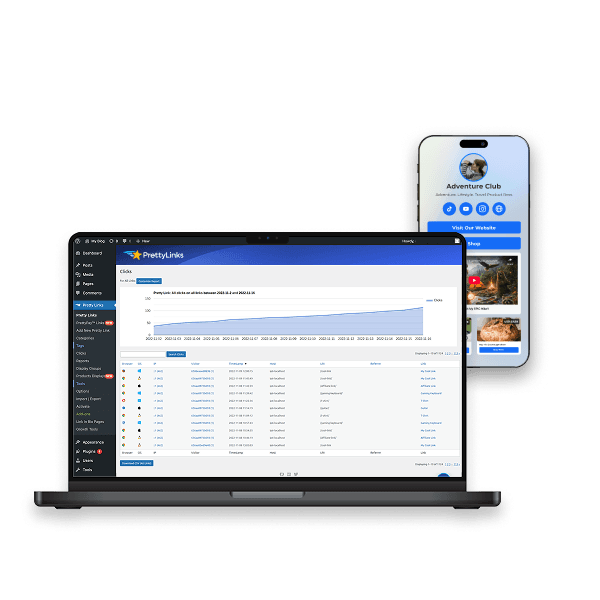
Chaque clic sur votre page Bio se retrouve dans le tableau de bord de PrettyLinks. Découvrez les offres qui convertissent, les plateformes qui génèrent le plus de trafic et les boutons qui gagnent leur place. A partir de là, effectuez des tests A/B et remplacez les moins performants en quelques secondes sur la base de données réelles.
Questions fréquemment posées
Réponses concernant l'hébergement de votre page de présentation sur votre propre domaine avec PrettyLinks, la vente directe depuis celle-ci, le suivi des clics et la création d'une page distincte pour chaque plateforme.
Oui, et c'est là toute la différence avec PrettyLinks. Votre page « Link in Bio » est hébergée sur votre site WordPress — et non sur une plateforme tierce que vous payez chaque mois pour pouvoir l'utiliser.
Cela signifie que dès le tout premier clic, les visiteurs arrivent directement sur votre site, sur une URL qui correspond à votre marque et non à celle d'un concurrent. C'est ainsi que vous captez du trafic avant même que les visiteurs n'aient choisi où ils vont se rendre ensuite.
À partir de là, vous pouvez suivre chacun de leurs gestes : sur quels boutons ils ont cliqué, lesquels ils ont ignorés, et quelle plateforme a généré les abonnés qui interagissent réellement.
Notre Découvrez le NOUVEAU lien PrettyLinks dans la bio Cet article explique ce qui se passe lorsque le lien figurant dans votre biographie redirige vers un site dont vous êtes réellement propriétaire.
Bien plus que de simples liens ! Votre page de présentation peut contenir des liens d'affiliation, des boutons de paiement PrettyPay™, des vidéos YouTube et Vimeo intégrées, des présentations de produits et un formulaire de contact.
Ainsi, au lieu d'une liste qui redirige les utilisateurs vers d'autres sites, vous disposez d'une page où tout se passe réellement. Un abonné peut regarder votre dernière vidéo, parcourir vos recommandations et faire ses achats, sans jamais quitter la page.
Notre Que mettre dans le lien de votre bio ? Cet article explique en détail ce qui mérite sa place et ce qui ne fait que prendre de la place.
Oui, grâce au bouton de paiement PrettyPay™. Vos abonnés n'ont qu'à cliquer, payer via la passerelle de paiement sécurisée de Stripe, puis ils sont redirigés vers votre site, sur la page de remerciement de votre choix. Pas besoin de créer un panier ni de mettre en place une boutique en ligne.
Vous vendez quelques articles ? Optez pour le modèle « Cards » : votre page de présentation se transformera alors en une grille de type boutique en ligne. Ajoutez les liens vers vos produits : chacun d'entre eux s'affichera sous forme de fiche individuelle comprenant une image, un prix et un bouton de paiement — le résultat ressemble davantage à une vitrine qu'à une simple liste de liens.
Notre Création d'un document « Page de présentation » vous explique comment ajouter un bouton « Passer à la caisse » à côté de vos autres liens.
Oui, chaque bouton de votre page de présentation est un lien esthétique ; les clics mènent donc au même tableau de bord que tout le reste.
Oui, créez-en autant que vous le souhaitez. Personne ne vous suit sur Instagram pour les mêmes raisons que sur LinkedIn ; la page sur laquelle les utilisateurs atterrissent ne doit donc pas non plus être identique.
Instagram est un réseau social axé sur le shopping visuel ; veillez donc à y créer une page « Cards » regorgeant de présentations de produits. LinkedIn attend de vous que vous partagiez vos ressources et vos articles de fond. Les auditeurs de podcasts souhaitent disposer des notes d'émission et de la version vidéo de l'épisode.
De cette façon, chaque abonné arrive directement sur un contenu conçu spécialement pour lui, au lieu de devoir faire défiler quatre boutons destinés à quelqu’un d’autre. Et comme chaque page dispose de son propre lien, vous pourrez identifier la plateforme qui génère les abonnés qui cliquent réellement.
Notre Création d'un document « Page de présentation » Une fois que vous aurez fabriqué votre premier, vous aurez pris le coup de main, et les suivants se feront très vite.