
A pixel de suivi Il s'agit d'un type de redirection « Pretty Links » particulier qui, en réalité, ne redirige personne. À la place, il affiche une image invisible de 1×1 et enregistre la requête comme un clic.
C'est un compteur, pas un outil de navigation — et c'est justement ce qui le rend efficace pour mesurer les impressions.
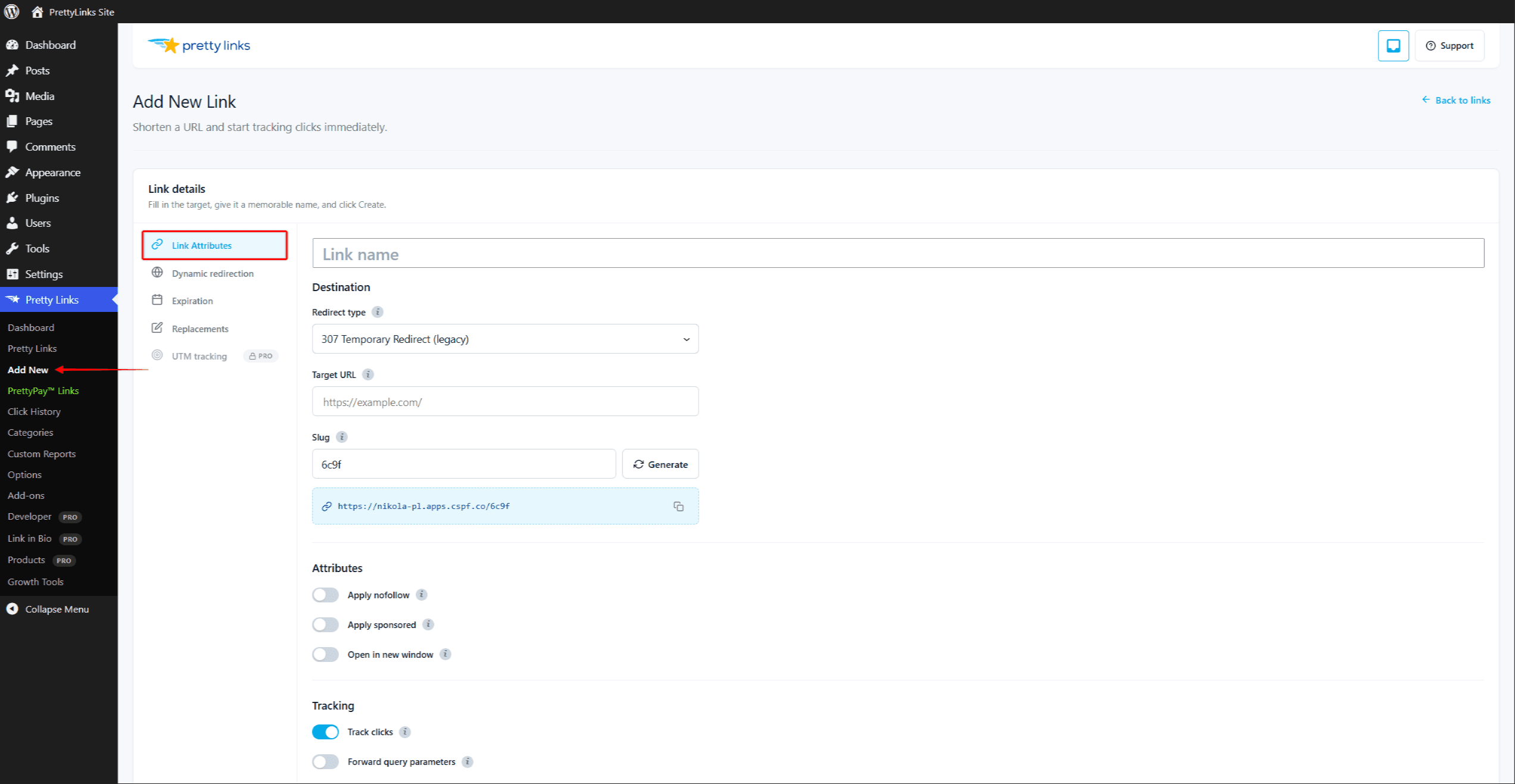
Comment ça marche
Lorsque vous définissez le type de redirection d'un lien sur Pixel de suivi et intégrer l'URL simplifiée sous la forme d'un <img> balise (ou créer un lien direct depuis un e-mail ou une page), Pretty Links :
- Reçoit la demande.
- Cela apparaît sous forme de « clic » dans vos rapports.
- Renvoie une minuscule image transparente de 1×1 pixel.
Le visiteur ne voit jamais rien d'visible. Il ne navigue jamais nulle part. Mais on obtient un décompte du nombre de fois où le pixel s'est chargé.
Quand utiliser les pixels de suivi ?
- Suivi de l'ouverture des e-mails — Intégrez le pixel dans le code HTML d'un e-mail. Chaque fois que l'e-mail est ouvert (et que les images sont chargées), un “ clic ” est enregistré pour ce lien ;
- Statistiques sur la newsletter — Ajouter un pixel par newsletter afin de compter le nombre d'ouvertures pour chaque numéro ;
- Comptage des pages vues — Placez un pixel sur une page tierce à laquelle vous ne pouvez pas associer un outil d'analyse complet. Chaque chargement est pris en compte ;
- Suivi de confirmation — Insérer un pixel sur une page de remerciement ou de confirmation afin de comptabiliser les actions réussies ;
- Suivi des impressions sur plusieurs sites — Intégrez-le dans le contenu de vos partenaires pour savoir combien de fois votre message a été vu.
Comment intégrer le pixel
Dans votre e-mail ou votre code HTML, utilisez une balise standard <img> Ajoutez une balise avec votre jolie URL comme source :
<img src="https://yoursite.com/your-pixel-slug" width="1" height="1" alt="" />Lorsque l'e-mail ou la page se charge et que l'image est récupérée, le clic est enregistré.
Intégration à l'aide du shortcode ou d'un bloc
Dans le contenu WordPress, vous disposez de deux autres moyens d'insérer un pixel. Utilisez le shortcode du pixel dans n'importe quel article, page ou widget :
[pretty_link_pixel id=123]Remplacer 123 avec l'identifiant du lien pixel. Pretty Links insère le pixel invisible à l'endroit où se trouve le shortcode.
L'éditeur de blocs comprend également un Pixel Pretty Links bloc (liens-esthétiques/bloc-pixel). Ajoutez-le à l'aide de l'outil d'insertion de blocs et sélectionnez votre lien pixel.
Ce qui est enregistré
Un pixel de suivi apparaît dans vos rapports exactement comme un clic classique :
- Horodatage ;
- Adresse IP du visiteur (sous réserve de Anonymisation des adresses IP);
- Référent (la page ou le client de messagerie qui a chargé le pixel) ;
- Agent utilisateur ;
- Pays, appareil, navigateur, etc. (dans Modes de suivi des clics Mode de suivi étendu).
La norme Filtrage des bots et des adresses IP Des filtres anti-bots et des filtres IP sont en place ; ainsi, les bots courants de préchargement d'images et vos propres adresses IP ne viendront pas fausser les statistiques.
Limites et mises en garde
- Clients de messagerie bloquant les images — De nombreux clients de messagerie (et beaucoup de gens !) bloquent les images par défaut. Le suivi des ouvertures basé sur les pixels sous-estime systématiquement le nombre d'ouvertures pour ces publics ;
- Mise en cache des images — Certains clients de messagerie mettent les images en cache de manière intensive ; ainsi, si un même destinataire ouvre le message deux fois, cela ne sera peut-être comptabilisé qu'une seule fois. Les liens « Pretty Links » Tout savoir sur les cookies
prli_dedupCe cookie empêche également les doubles comptages rapides ; - Réglementation en matière de protection de la vie privée — Le suivi par pixels dans les e-mails fait l'objet d'une réglementation de plus en plus stricte. Vérifiez les règles en vigueur dans votre juridiction concernant le suivi des e-mails et le consentement avant de mettre en place cette fonctionnalité ;
- Protection de la vie privée dans Apple Mail — Apple charge les images de manière proactive pour le compte du destinataire, ce qui gonfle le nombre d'ouvertures pour les utilisateurs d'Apple Mail.
Mise en place
- Créer un nouveau lien via Création et modification de liens. L'URL de destination n'a pas vraiment d'importance pour un pixel, mais il est préférable de la diriger vers une page pertinente, comme votre page d'accueil, au cas où quelqu'un accéderait directement à cette URL.
- Ensemble Type de redirection à Pixel de suivi.
- Choisissez un slug accrocheur, par exemple
/actualités-numéro-42afin que vous puissiez l'identifier dans les rapports. - Enregistrez le lien.
- Copiez l'URL simplifiée et utilisez-la comme
srcattribut d'un<img>balise dans votre e-mail ou sur votre page.
Combinaison avec d'autres fonctionnalités
Les pixels de suivi sont généralement utilisés de manière autonome : il n'y a pas de destination à cibler, à faire tourner ou à soumettre à un test A/B. Mais ils fonctionnent avec :
- Modes de suivi des clics — les « pixel hits » sont enregistrés avec le même niveau de détail que les clics classiques ;
- Filtrage des bots et des adresses IP — exclut les requêtes automatisées de vos statistiques.
Les liens « Pixel » ne se combinent pas avec Date d'expiration, Ciblage, Rotationou Tests A/B — le pixel de réponse ne comporte aucune URL de destination vers laquelle rediriger, retirer ou faire tourner.