
Disponible en el plan «Super Affiliate».
Los parámetros UTM sirven para indicar a las herramientas de análisis —como Google Analytics, Plausible, Fathom, Matomo y casi todos los paneles de control que existen— qué campaña, qué canal y qué enlace concreto ha generado una visita. El complemento UTMs te ahorra la molestia de crearlos manualmente, ya que sustituye la edición manual de las URL por un formulario sencillo.
El problema de los UTM introducidos manualmente
Si alguna vez has creado a mano una URL con parámetros UTM, ya conoces los posibles errores:
- Valores incoherentes — “Email” en un enlace, “email” en otro y “EMAIL” en un tercero. Para las herramientas de análisis, se trata de tres fuentes diferentes;
- Errores tipográficos —
?utm_source=boletínpermanece en tus datos para siempre; - Delimitadores incorrectos —
&en lugar de?para el primer parámetro, falta&entre parámetros, doble?; - Parámetros olvidados — Querías añadir una etiqueta al enlace, pero, por error, copiaste y pegaste la URL sin formato en tu publicación;
- URL ya etiquetadas — Si añades parámetros UTM a una URL que ya los contiene, acabarás teniendo valores de parámetros contradictorios.
Si se trata de un solo enlace, puedes arreglártelas. Pero si hay cien enlaces de campaña repartidos entre entradas de blog, redes sociales, correos electrónicos y biografías, la asignación manual de parámetros UTM es la receta perfecta para que los datos analíticos sean confusos, lo que a su vez lleva a tomar decisiones erróneas.
Qué hace el complemento UTMs
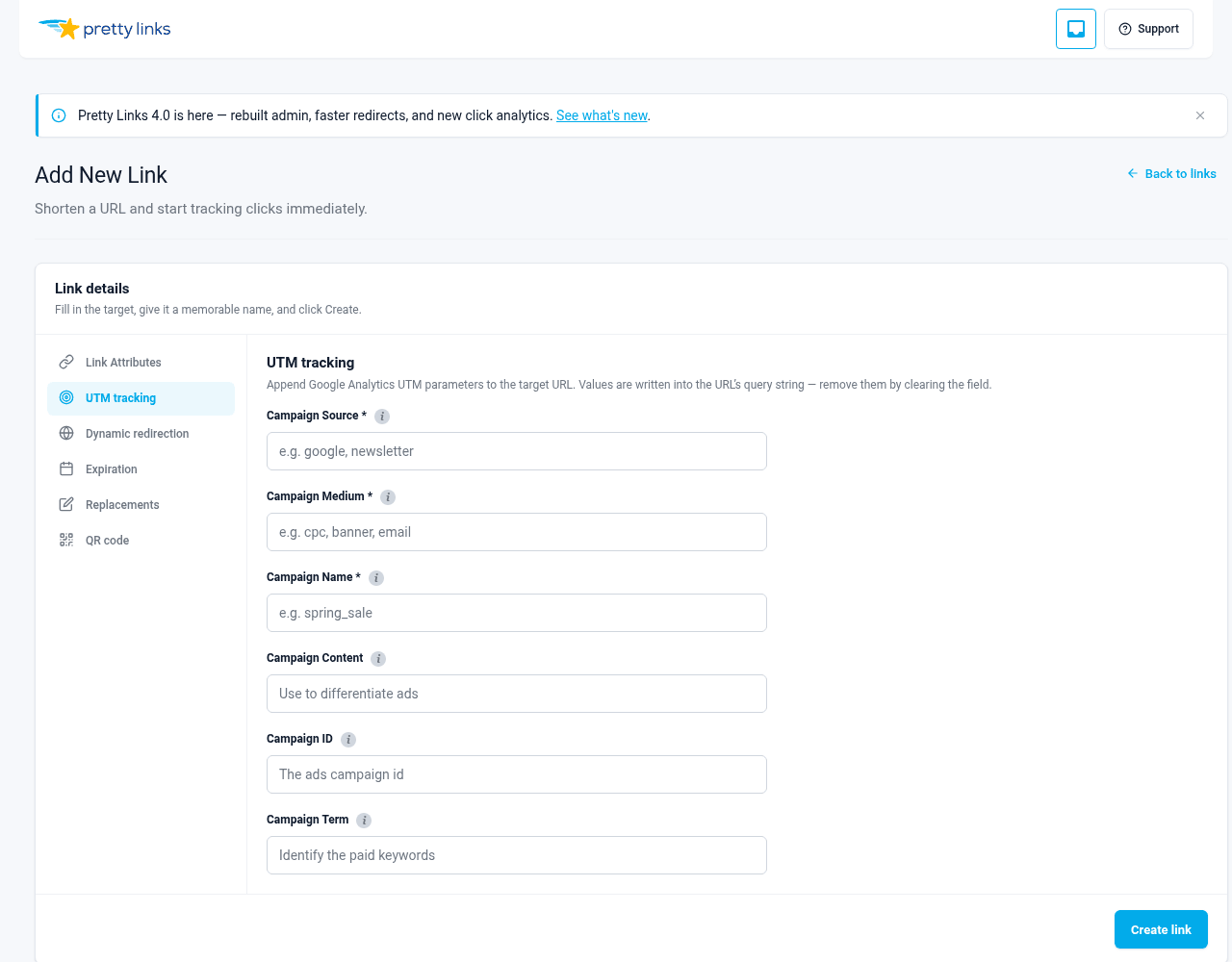
El complemento UTMs añade un UTM pestaña del editor de Pretty Link. En ella encontrarás un formulario con un campo por cada parámetro UTM:
- Fuente (obligatorio);
- Medio (obligatorio);
- Nombre (obligatorio) — corresponde a
utm_campaign; - Contenido (opcional);
- ID (opcional) — corresponde a
utm_id; - Término (opcional).
Rellena los campos, guarda el enlace y Pretty Links los integra automáticamente en la URL de destino. Sin necesidad de hacerlo manualmente. ?utm_source=…&utm_medium=… edición.
Por qué es importante
Valores coherentes
Dado que los valores proceden de los campos de un formulario, puedes copiarlos y pegarlos de un enlace a otro sin preocuparte por las variaciones en mayúsculas, minúsculas o espacios. “Boletín” sigue siendo “Boletín” en todas partes.
No hay errores ortográficos en la propia URL
Puedes cometer un error al escribir un valor en el formulario, pero no puedes estropear la URL. La estructura (?utm_source=…&utm_medium=…) se genera correctamente en todo momento.
¿Una URL ya etiquetada? Pretty Links se encarga de ello
Si la URL de destino ya contiene parámetros UTM, el editor los detecta y los incorpora al formulario al abrir el enlace. Puedes revisarlos, modificarlos y volver a guardarlos sin que se produzcan parámetros duplicados o conflictivos.
Oculto donde no es aplicable
Los «Pretty Links» de tipo píxel (aquellos que activan un píxel de seguimiento en lugar de redirigir) no tienen una URL de destino que etiquetar, por lo que la pestaña «UTM» queda oculta automáticamente en esos enlaces. Sin desorden, sin confusión.
Funciona con el resto de tu pila
La URL combinada es una URL normal con parámetros UTM normales. Sea cual sea la herramienta de análisis que utilices —GA4, Plausible, Fathom, Matomo o incluso tu CRM—, detectará los parámetros de la misma forma que lo haría si hubieras etiquetado la URL manualmente.
Cuándo utilizarlo
Utiliza el complemento UTMs siempre que:
- Llevas a cabo varias campañas y necesitas atribuir el tráfico correctamente;
- Publicas contenido en varios canales (blog, redes sociales, correo electrónico, socios) y quieres saber cuál de ellos genera más conversiones;
- Envías enlaces a compañeros de equipo o colaboradores y quieres garantizar que el etiquetado sea coherente;
- ¿Alguna vez te has fijado en un informe de campañas de Google Analytics y has intentado entender los valores inconsistentes de «fuente» y «medio»?.
Probablemente no lo necesites si:
- Siempre generas tráfico desde una sola fuente (y no te preocupa la atribución por canal);
- Utilizas exclusivamente enlaces directos, sin etiquetas;
- La gestión del etiquetado UTM se lleva a cabo en un nivel diferente (algunos equipos lo hacen en la herramienta de correo electrónico o en el programador de redes sociales).
Pero si de todos modos tienes el plan Super Affiliate, no hay motivo para no utilizarlo. Es más rápido que escribir los UTM a mano, incluso si solo lo usas de vez en cuando.
Por dónde empezar
Abre cualquier «Pretty Link» existente y busca el nuevo UTM pestaña, rellena los campos y guarda. Ya está.
Para obtener una guía paso a paso campo por campo con ejemplos, consulta Cómo utilizar el generador de UTM.