
Dirigiéndose a permite que un único enlace atractivo dirija a diferentes visitantes a distintos destinos en función de las reglas que definas: país, tipo de dispositivo, navegador, sistema operativo, hora del día, día de la semana y mucho más.
Un enlace, muchos destinos, seleccionados automáticamente para cada visitante.
En qué puedes centrarte
- País — Seleccionar uno o varios países, o excluirlos, para que los visitantes de EE. UU. y de Europa puedan ir a lugares diferentes;
- Tipo de dispositivo — Dirige a los visitantes que acceden desde dispositivos móviles a tu página optimizada para móviles; redirige a los visitantes que acceden desde ordenadores de sobremesa a tu sitio web completo;
- Sistema operativo — Usuarios de iOS que visitan la App Store; usuarios de Android que visitan Google Play;
- Navegador — Ofrecer una experiencia a los usuarios de Chrome y otra a los de Safari;
- Hora del día / día de la semana — Redirigir a una página de “Tienda cerrada” fuera del horario de apertura;
- Intervalo de fechas — Establecer un destino en un intervalo de fechas concreto y, a continuación, recurrir a una alternativa;
- Combinaciones — Combina varias condiciones con todos los: “Usuarios de iPhone en EE. UU. a partir de las 21:00 h”.”
Cómo se evalúan las reglas
Usos de la segmentación el-que-gane-el-primer-partido Evaluación. Pretty Links comprueba tus reglas de arriba abajo, y la primera que coincida con el visitante es la que prevalece. El clic del visitante se redirige al destino de esa regla.
Si ninguna regla coincide, el visitante pasa directamente a la URL de destino principal del enlace; ese es tu destino predeterminado para “todos los demás”.”
Utiliza los botones de subir y bajar que hay junto a cada regla para reordenarlas. Coloca las reglas más específicas en la parte superior y las más generales más abajo.
Configuración de la segmentación
- Edita el enlace al que quieres dirigir.
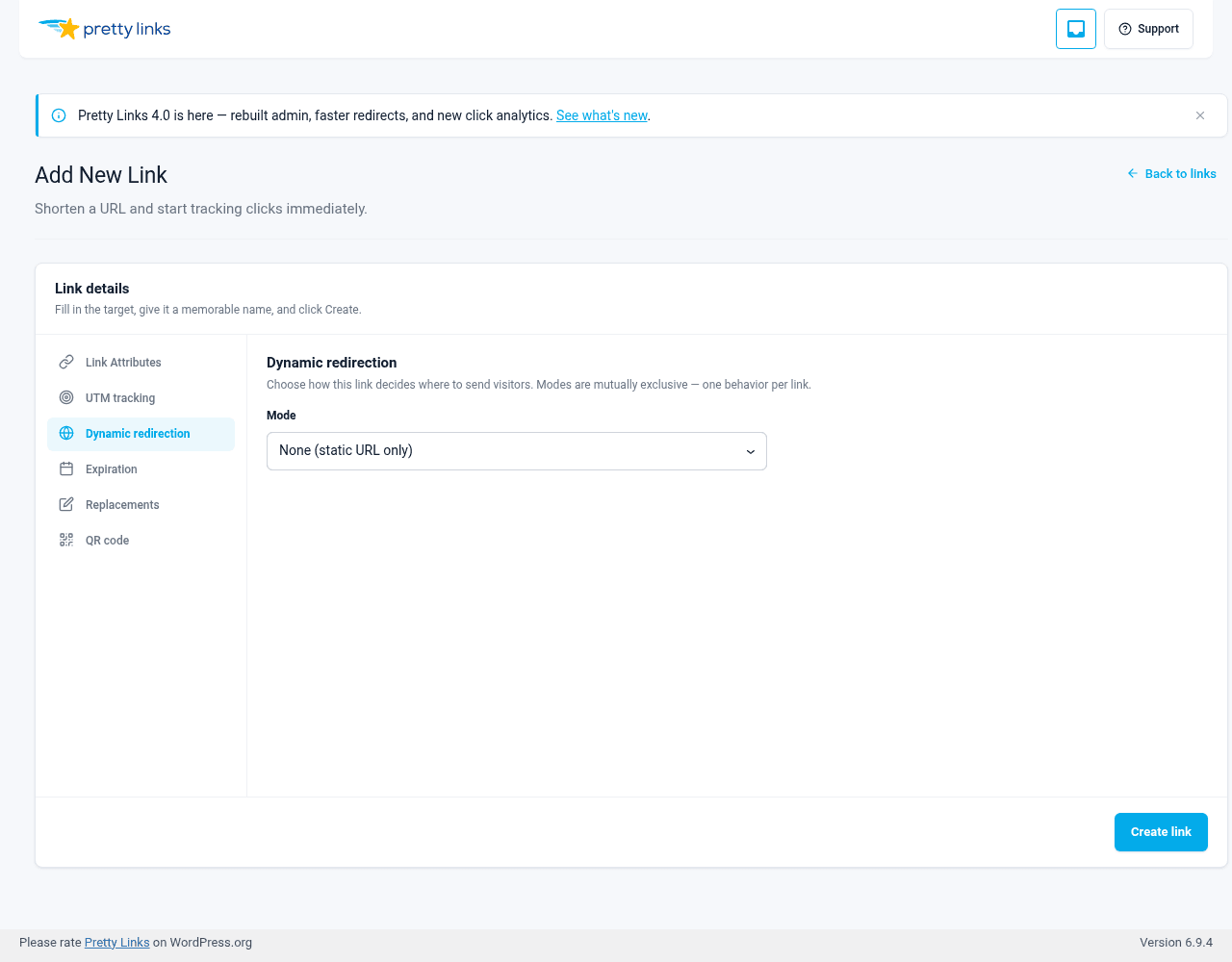
- Abre el Redirección dinámica ficha.
- Conjunto Modo a Segmentación geográfica, Segmentación por dispositivo, navegador y sistema operativoo Segmentación basada en el tiempo.
- En el Reglas de segmentación panel, haz clic en Añadir regla.
- Elige el operador (por ejemplo, “El país es uno de”, “El tipo de dispositivo es”, “La hora está entre”) y un valor.
- Introduzca el Redirigir a URL para los visitantes que cumplan esa regla.
- Guarda el enlace.
Añade tantas reglas como necesites. Cambia el orden de las reglas con los botones «arriba» y «abajo» de cada fila.
Ejemplos
Redireccionamiento a la App Store y la Play Store
Un patrón habitual entre los especialistas en marketing de aplicaciones:
- Regla n.º 1: El sistema operativo es iOS →
https://apps.apple.com/us/app/yourapp - Regla 2: El sistema operativo es Android →
https://play.google.com/store/apps/details?id=com.yourapp - URL de destino predeterminada:
https://yourapp.com/(para usuarios de ordenadores de sobremesa)
Un enlace corto, tres destinos interesantes.
Páginas de destino geográficas
Organizar una oferta con precios o gastos de envío regionales:
- Regla n.º 1: El país es Estados Unidos →
/venta-es - Regla 2: País: Canadá →
/sale-ca - Regla 3: El país es el Reino Unido →
/rebajas-reino-unido - Valor por defecto:
/ventas-internacionales
Ofertas por tiempo limitado
Una oferta relámpago que solo está disponible durante unas horas concretas:
- Regla n.º 1: Hora comprendida entre las 9 y las 17 (zona horaria del sitio) →
/oferta-relámpago-en-directo - Valor por defecto:
/oferta-relámpago-finalizada
Redirección «Mobile-First»
Dirigir el tráfico móvil a un embudo diferente:
- Regla n.º 1: El dispositivo es móvil →
/m/página-de-inicio - Valor por defecto:
/página-de-inicio
Combinación de la segmentación con otros tipos de redireccionamiento
La segmentación funciona con cualquier tipo de redireccionamiento: 301, 302, Redirección Cloak, Pretty Bar, y así sucesivamente. El tipo de redirección determina cómo cuando el visitante llega a su destino; la segmentación determina ¿qué destino? es decir.
Por ejemplo, puedes agrupar todas tus variantes bajo la misma URL optimizada, pero dirigir a diferentes públicos a destinos distintos.
Segmentación frente a rotación y pruebas A/B
Segmentación y Rotación son independientes Modos en la pestaña «Redirección dinámica», y un enlace solo puede utilizar un modo a la vez. Las reglas de segmentación y la rotación no pueden ejecutarse simultáneamente en el mismo enlace; elige el comportamiento que mejor se adapte a ese enlace.
- Utilice Geográfico, Dispositivo / navegador / sistema operativoo Basado en el tiempo la segmentación cuando el destino deba depender de quién sea el visitante o de cuándo haga clic;
- Utilice Rotación cuando quieras distribuir el tráfico entre distintas variantes para realizar pruebas A/B o incluso para distribuir la carga.
Para combinar ambas ideas, encadena dos eslabones: un eslabón de selección cuyo destino correspondiente es, a su vez, un eslabón de rotación. El primer eslabón selecciona el embudo según una regla; el segundo rota las variantes dentro de él.
Consejos
- Comprueba cada regla. Utiliza una VPN o el emulador de dispositivos de las herramientas de desarrollo del navegador para comprobar que cada ruta funciona según lo previsto;
- El orden es importante. Da prioridad a las reglas específicas sobre las generales. “iOS en EE. UU.” debería tener prioridad sobre “iOS en cualquier lugar”. Las reglas basadas en la hora se evalúan según la zona horaria de WordPress de tu sitio web, no según la hora local del visitante;
- Establece siempre una URL de destino predeterminada. Inevitablemente, habrá visitantes que no se ajusten a ninguna de tus reglas. Asegúrate de que, aun así, lleguen a una página útil;
- No segmentes en exceso. Tres o cuatro reglas suelen ser suficientes. Veinte ya resultan difíciles de cumplir.