
A Umhang Mit „redirect“ bleibt Ihre ansprechende URL in der Adressleiste des Besuchers sichtbar, während die Zielseite darunter angezeigt wird. Aus Sicht des Besuchers scheint es, als befände er sich auf yoursite.com/cool-link auch wenn der Inhalt eigentlich von ganz woanders stammt.
Wie es funktioniert
Wenn Sie den Weiterleitungstyp eines Links auf Getarnt, Pretty Links stellt eine kleine Wrapper-Seite bereit, die Ihre Ziel-URL in einem iframe lädt. Der Besucher sieht:
- Deine „Pretty URL“ in der Adressleiste (sie ändert sich nicht in die Ziel-URL);
- Der gesamte Inhalt der Zielseite füllt das Browserfenster aus;
- Der Titel und das Favicon Ihrer Website, nicht die der Zielseite.
Es ist wie bei einem Einwegspiegel: Der Besucher erlebt das Ziel, aber die Oberfläche, auf der er sich “befindet”, gehört dir.
Wann sollte man Cloaking einsetzen?
- Partnerlinks — Ein markenspezifisches Erlebnis, ohne dass Ihre Affiliate-URL sichtbar wird;
- Lange, unattraktive Reiseziele — Eine übersichtliche URL anzeigen und dabei unübersichtliche Parameter ausblenden;
- Partnerinhalte — Externe Ressourcen unter Ihrer Domain einbinden;
- Marketingkampagnen — Halten Sie die Besucher auf Ihrer Marken-URL.
Automatischer Fallback auf 302
Viele Websites – darunter die meisten großen (Google, Facebook, Twitter, Banken, Zahlungsdienstleister) – verhindern, dass sie innerhalb eines iframe geladen werden. Dazu verwenden sie Sicherheits-Header wie X-Frame-Options oder Content-Security-Policy.
Wenn eine Zielseite Framing blockiert, würde der Cloak-Iframe andernfalls eine leere Seite oder eine Fehlermeldung anzeigen. Um dies zu verhindern, Pretty Links greift automatisch auf eine normale 302-Weiterleitung zurück wenn festgestellt wird, dass das Motiv nicht im Bildausschnitt erfasst werden kann.
Das bedeutet, dass Besucher immer auf der Zielseite landen – nur bei Websites, die Framing nicht zulassen, wird Ihre ansprechende URL nicht in der Adressleiste angezeigt.
Sie müssen nichts konfigurieren, damit dieser Fallback funktioniert. Das geschieht automatisch.
Was Sie beachten sollten
- Mobile Erfahrung — Iframes können sich auf kleinen Bildschirmen seltsam verhalten, insbesondere bei Websites, die nicht responsiv sind. Testen Sie Ihre getarnten Links auf einem Smartphone, bevor Sie sich bei der Ansprache mobiler Nutzer darauf verlassen;
- SEO — Versteckte Seiten geben keine SEO-Wertigkeit weiter. Wenn SEO für Sie wichtig ist, verwenden Sie eine Weiterleitungsarten: 301, 302 und 307 stattdessen;
- Regeln für das Partnerprogramm — Einige Affiliate-Netzwerke verbieten das Cloaking, Masking oder Einbinden ihrer Landingpages in Iframes. Prüfen Sie die Bedingungen Ihres Programms, bevor Sie Cloaking auf Affiliate-URLs anwenden;
- HTTPS-Abweichungen — Wenn Ihre Website über HTTPS läuft und die Zieladresse über HTTP, weigern sich Browser, den iframe zu laden. Verwenden Sie nach Möglichkeit immer HTTPS-Zieladressen.
Einrichtung
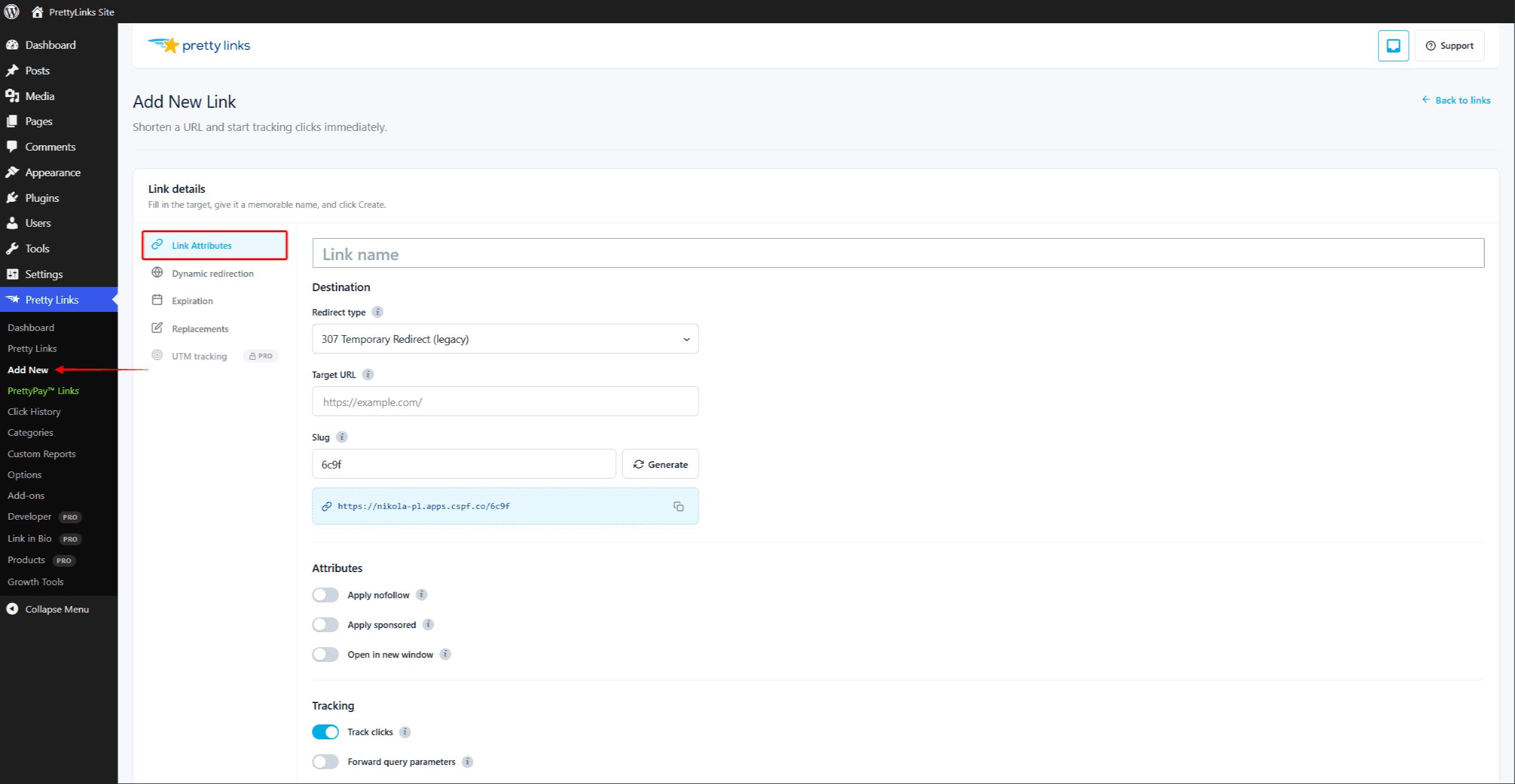
- Bearbeite den Link, den du verbergen möchtest.
- In der Umleitungstyp Dropdown-Menü, auswählen Getarnt.
- Klicken Sie auf Update.
Testen Sie den Link, indem Sie ihn in einer abgemeldeten Browsersitzung (oder einem Inkognito-Fenster) anklicken. In der Adressleiste sollte nun Ihre „schöne“ URL angezeigt werden, darunter der Inhalt der Zielseite.
Wenn stattdessen eine 302-Weiterleitung zum Ziel angezeigt wird, bedeutet dies, dass die Zielseite Framing blockiert und Pretty Links automatisch auf eine Ausweichlösung zurückgegriffen hat. Wählen Sie ein anderes Ziel oder verwenden Sie einen anderen Weiterleitungstyp.
Kombination mit anderen Funktionen
Versteckte Links funktionieren mit:
- Klick-Tracking-Modi — „Cloaked Clicks“ werden genauso erfasst wie normale Weiterleitungen;
- Zielsetzung — Verschiedene Besucher können auf unterschiedliche Ziele umgeleitet werden;
- Drehung — Die Rotation verbergen, nicht die einzelnen Varianten;
- QR-Codes — Gescannte Codes weisen dasselbe Tarnverhalten auf.
„Cloak“ lässt sich nicht mit Hübsche Bar — Das sind alternative Möglichkeiten, das Erlebnis rund um die Zielseite zu gestalten. Wählen Sie pro Link eine davon aus.